Cosmos
How to Stake Cosmos (ATOM) Using the Keplr Wallet: A Step-by-Step Guide
Cosmos is a network of scalable, interconnected blockchains on the Cosmos SDK framework. Its core blockchain is Cosmos Hub with its native t
OCT 04, 2022
Table of Contents
What is the Cosmos Hub Blockchain?
What is the Keplr Wallet?
Why Stake ATOM?
How to Set Up the Keplr Wallet?
Explore the Keplr Wallet
How to Top Up Your Keplr Wallet
How to Stake ATOM via the Keplr Wallet Using Google Chrome
Conclusion
Share with your network
Cosmos is a network of scalable, interconnected blockchains on the Cosmos SDK framework. Its core blockchain is Cosmos Hub with its native token ATOM. The project is booming due to low fees and high-speed transactions, moreover ATOM holders can use tokens for staking passively, earning rewards.
This guide will walk you through the process of staking ATOM via one of the most popular wallets—Keplr.
What is the Cosmos Hub Blockchain?
Cosmos Hub is the core chain of the Cosmos Network. It provides a smooth interchain connection between Cosmos-based blockchains via the underlying Inter-Blockchain-Protocol (IBC.) Cosmos Hub sets the development trend for other chains, while ATOM price fluctuations affect the ecosystem significantly.
What is the Keplr Wallet?
Keplr is the first non-custodial cryptocurrency wallet supporting the IBC protocol. In addition to the Cosmos Hub blockchain and ATOM, the Keplr Wallet supports various blockchains built on the Cosmos SDK. You can easily install the Keplr Wallet as a Chrome extension on your computer or as a mobile application for Android and IOS to store and stake ATOM.
The Keplr Wallet allows you to:
Why Stake ATOM?
ATOM staking yields range from 7 to 20% per annum. To stake, investors delegate their ATOM to a selected trusted validator. Please note that delegators keep possession of delegated tokens when using decentralized staking providers, which means that no validator has access to delegated assets. It makes staking a safe and reliable source of passive income.
Learn more about How to Stake Cosmos ATOM in our post.
How to Set Up the Keplr Wallet?
Step 1. Add the Keplr Wallet to Chrome
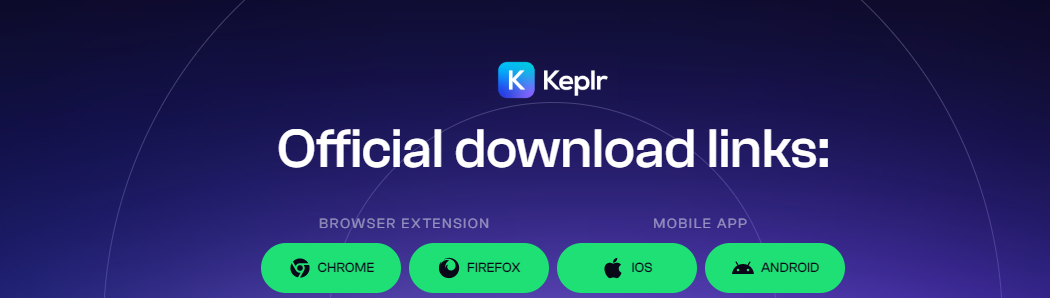
In the Chrome browser, visit the Crome Web Store to install the Keplr Wallet extension. You can also find and click this link on the Keplr official website.
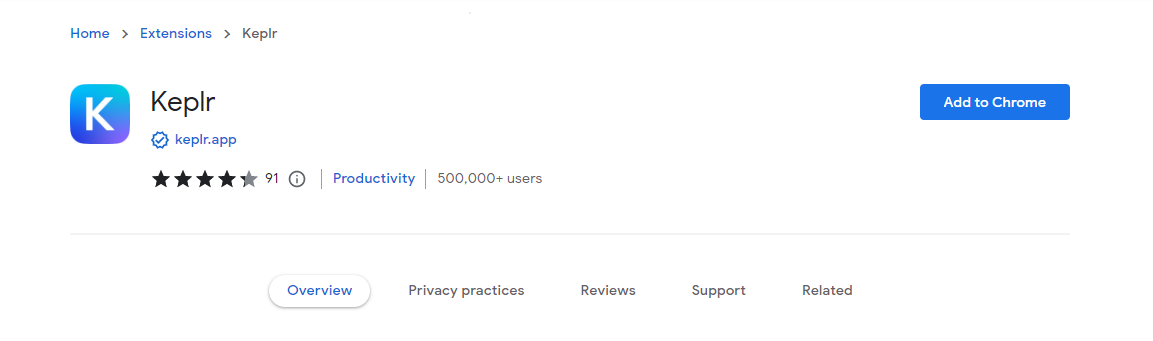
In the Chrome Web Store, click the Add to Chrome button to the right.
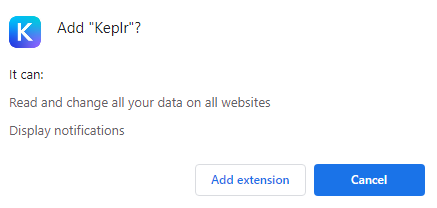
In the pop-up window you need to click Add extension button. The following notification will appear next:
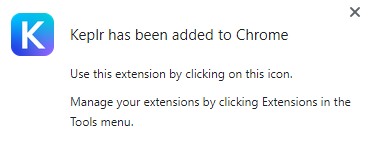
Congratulations! The Keplr Wallet has been added to Chrome.
Step 2. Sign in to the Keplr Wallet via Chrome
Click the puzzle-shaped icon at the top right corner of the browser. Select Keplr from the list of available extensions.
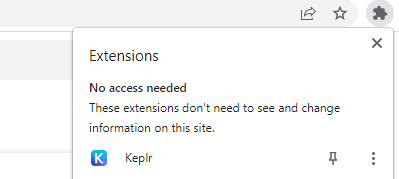
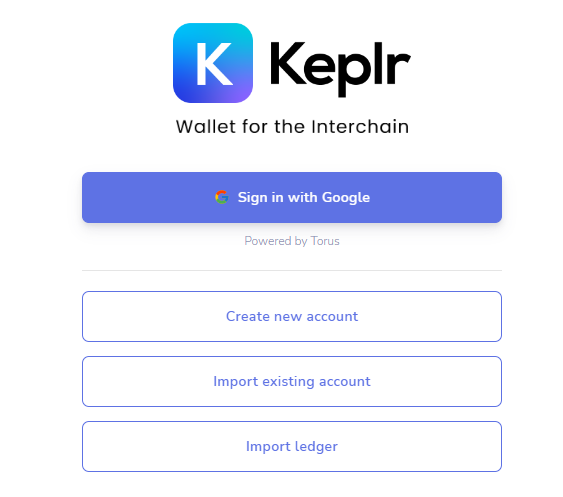
To get started, select a Sign in with Google option. Enter the email or phone associated with your Google account to proceed further.
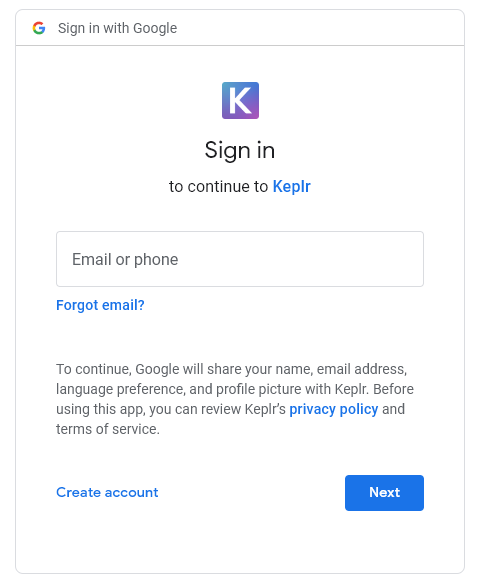
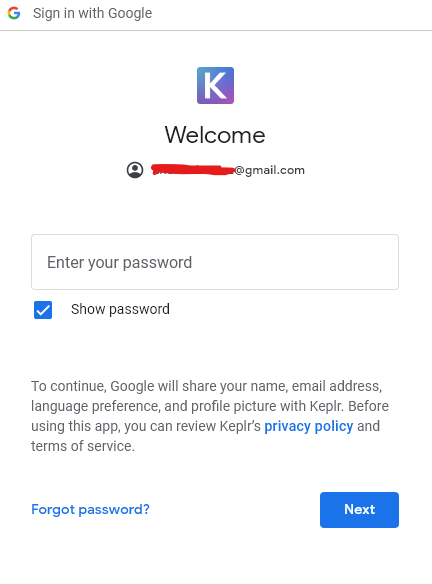
Once you have entered your email or phone and Google has recognized it, type your Google account password.
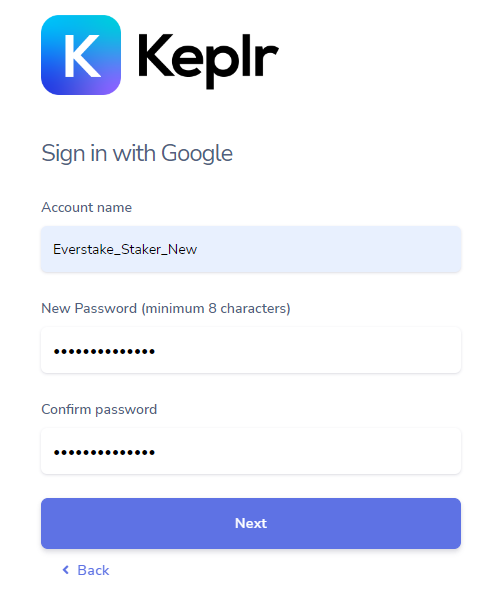
In the next window, come up with your Keplr account name and password. No worries, you can delete and create as many sub-accounts as you want within your single Google sign-in.
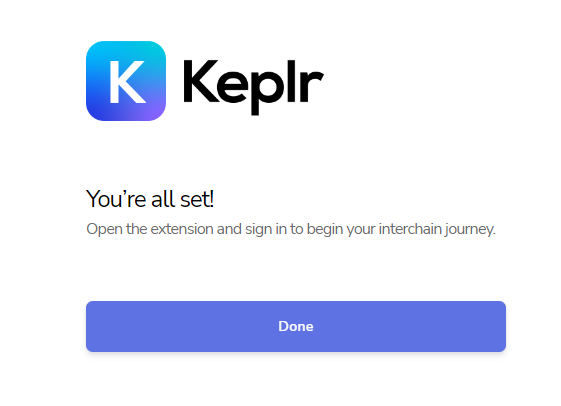
Well done! Now, let’s see what’s is going on inside your Keplr Wallet.
Explore the Keplr Wallet
Reopen the extension at the top right corner of the browser by clicking the puzzle icon to reach the interface.
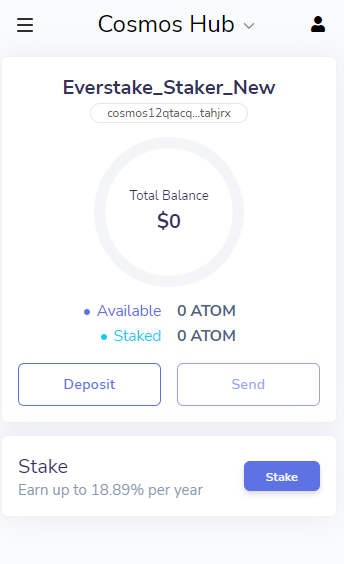
How to Top Up Your Keplr Wallet
Add some ATOM to your wallet. Click your Cosmos address to get its copy for your top-up transaction.
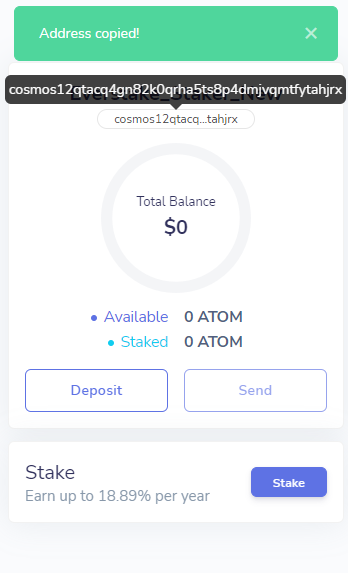
Visit one of the trusted, ATOM trading exchanges listed here. Once the transaction is complete, go back to your Keplr Wallet.
How to Stake ATOM via the Keplr Wallet Using Google Chrome
Now that you have got some ATOM deposited into your Keplr Wallet, let’s go staking.
Step 1. Launch Your ATOM Staking
Click Stake at the bottom right corner of the Keplr Wallet extension.
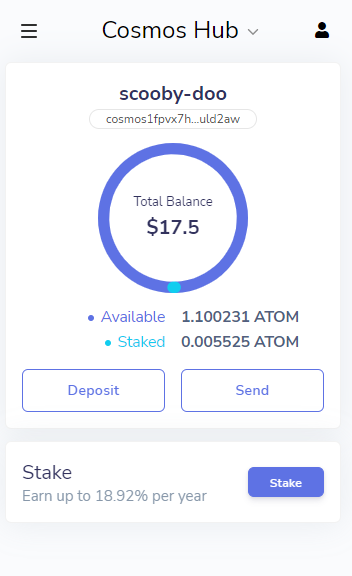
The Keplr Dashboard will appear in a new tab. Choose a trusted validator from the list of staking providers. To the right from Everstake, hit the Manage button to launch the staking.
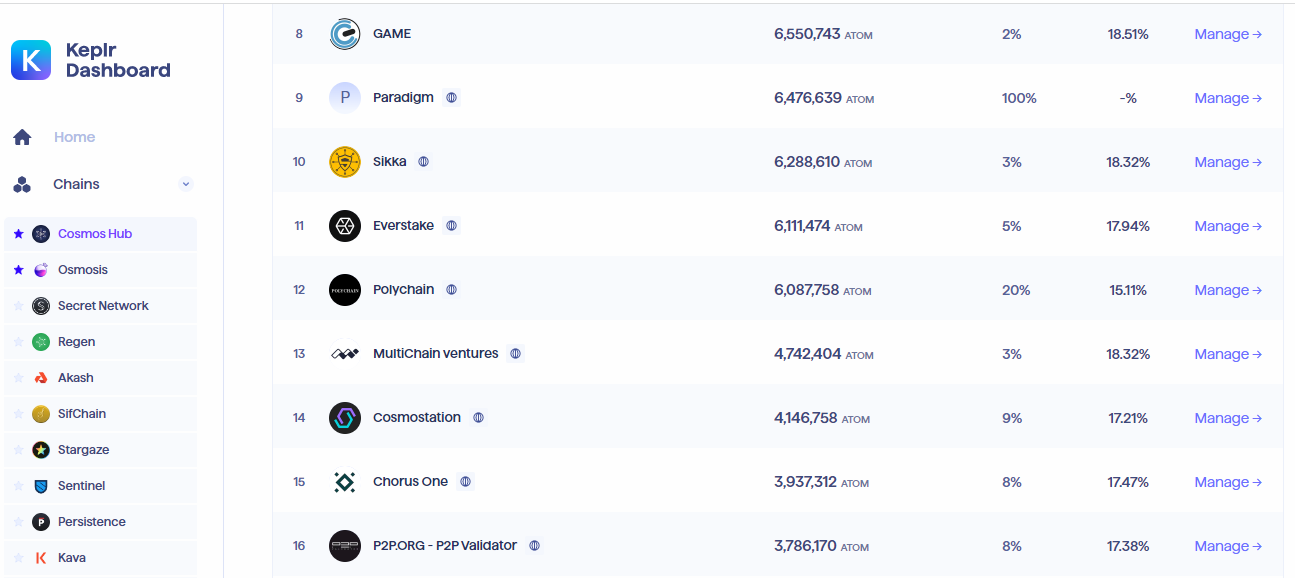
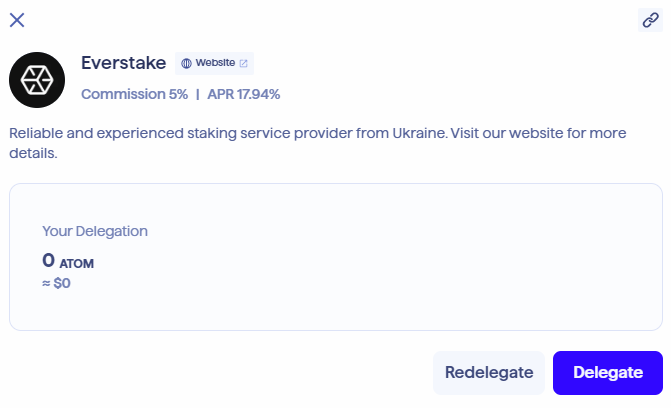
Hit the Delegate button in the next Everstake pop-up. You are almost there! Locking your funds for 21 days with staking is a standard term. Please note that you keep on holding your assets. The locking only means you cannot transfer the funds to other accounts for the period specified.
If you want to profit off the liquidity of your staked assets without waiting 21 days, you might be interested in ATOM liquid staking available with the other projects supported by Everstake, namely pSTAKE and Stride.
To proceed, enter the amount you wish to delegate to Everstake or, if you wish to stake all the funds available, choose MAX. Please note that you should leave at least some tiny amount unstaked to pay fees for future transactions.
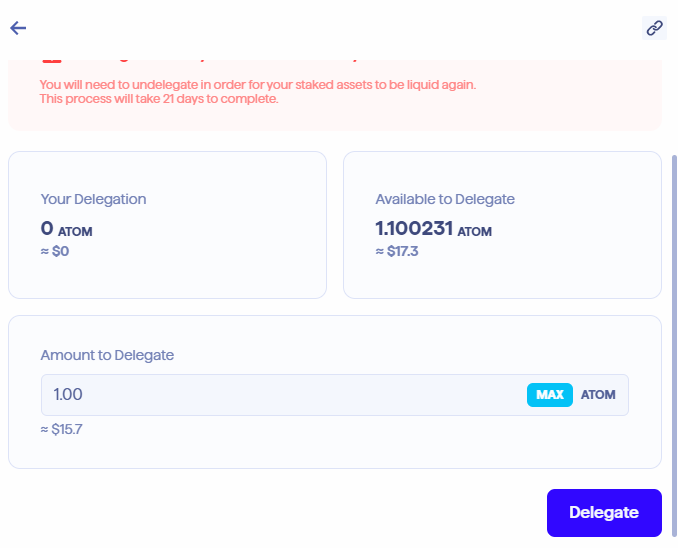
Once you have set the amount to be delegated to Everstake, click the Delegate button (you may need to scroll down the window to see it).
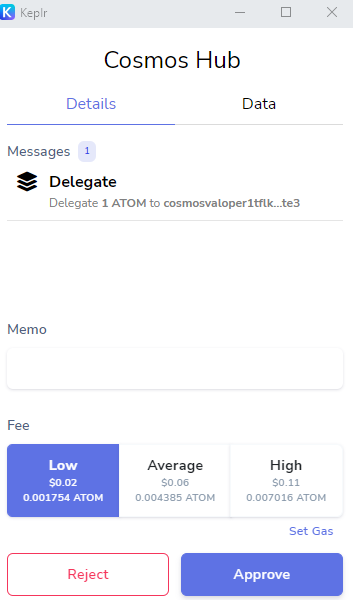
Another pop-up will appear in a few seconds, requesting the transaction fee. You can change it by clicking the Override fee button. Do not hesitate to set it to low—that will not affect the safety or speed of the transaction.
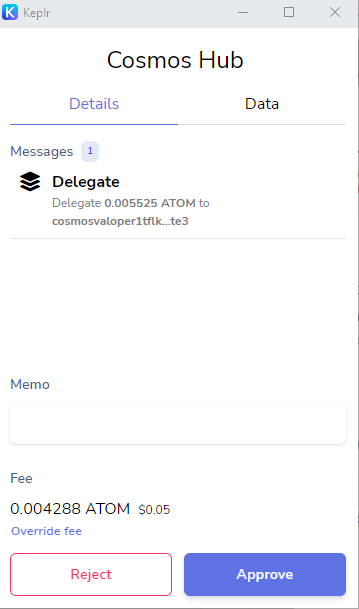
Hit the Approve button to complete your ATOM delegation. Now you need to wait a bit to complete the transaction to stake ATOM.
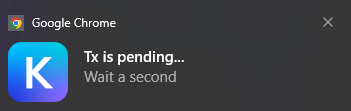

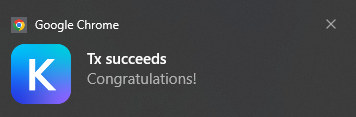
You have successfully staked your ATOM coins with Everstake via the Keplr Wallet.
Step 2. Manage Your ATOM Staking
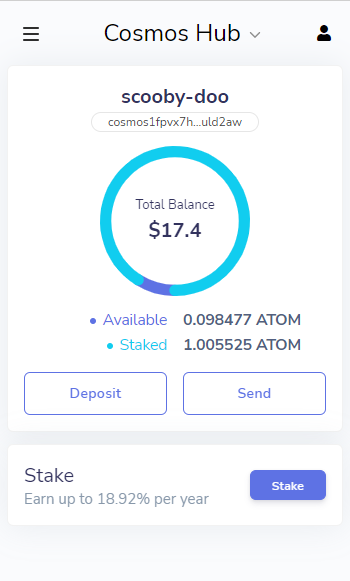
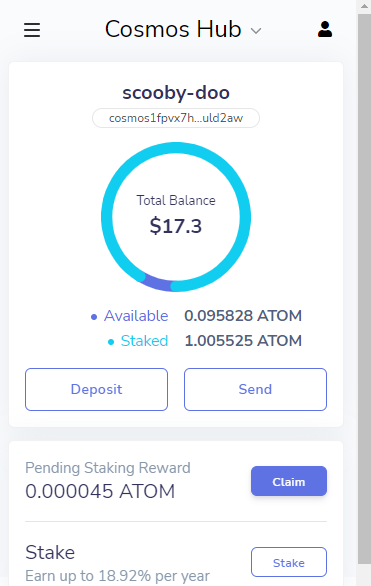
Check your balance in your wallet to see that your tokens are already staked.
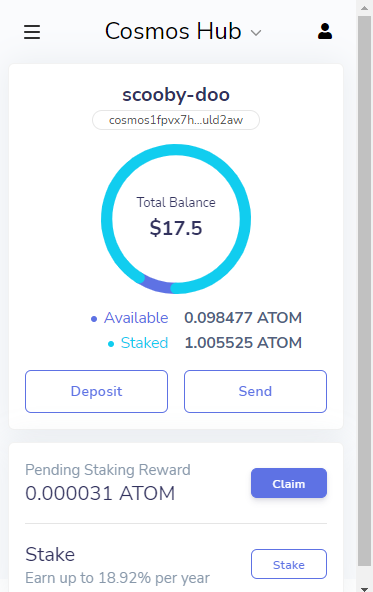
Your Keplr Wallet displays pending staking rewards as soon as they settle down on your account. You can claim ATOM rewards at any time by clicking the Claim button to the right.
Because you stake ATOM via Keplr, you can participate in the airdrops of the Cosmos ecosystem. This way you as an ATOM staker can get coins of new crypto-currencies for free. If you are going to get your staked ATOM back, click Stake in your Keplr Wallet.
On the Keplr Dashboard that appears, hit Manage to the right from the Everstake listing.
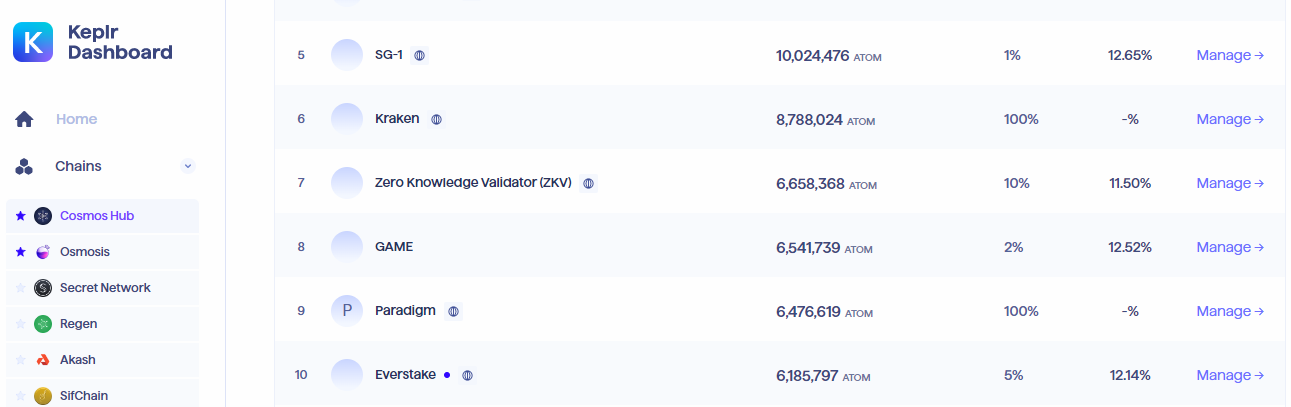
Press the Undelegate button in the next Everstake pop-up. Enter a certain amount to undelegate, and hit Undelegate.
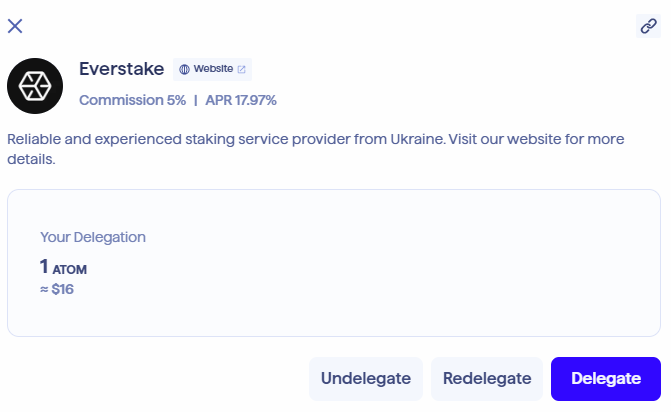
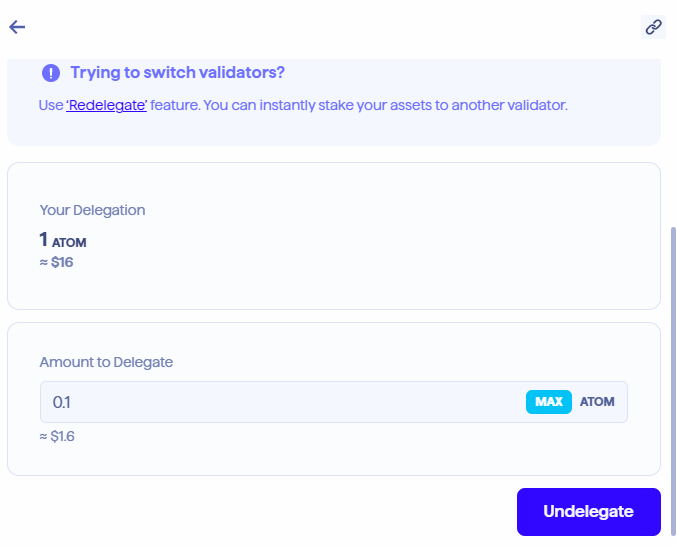
There is no need to undelegate the entire amount staked as you can always make a partial withdrawal.
Once you have set an amount to unstake, hit Undelegate. Set a fee for your transaction (Low is OK) and hit Approve.
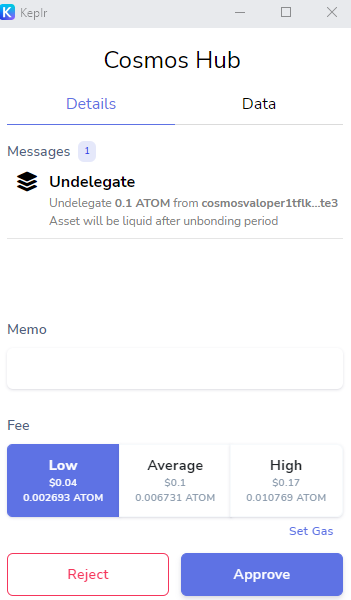
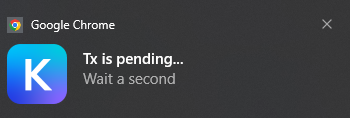
Wait for a while for the transaction to complete. The undelegation is done. The Keplr Dashboard shows key details of the crypto assets you are holding.
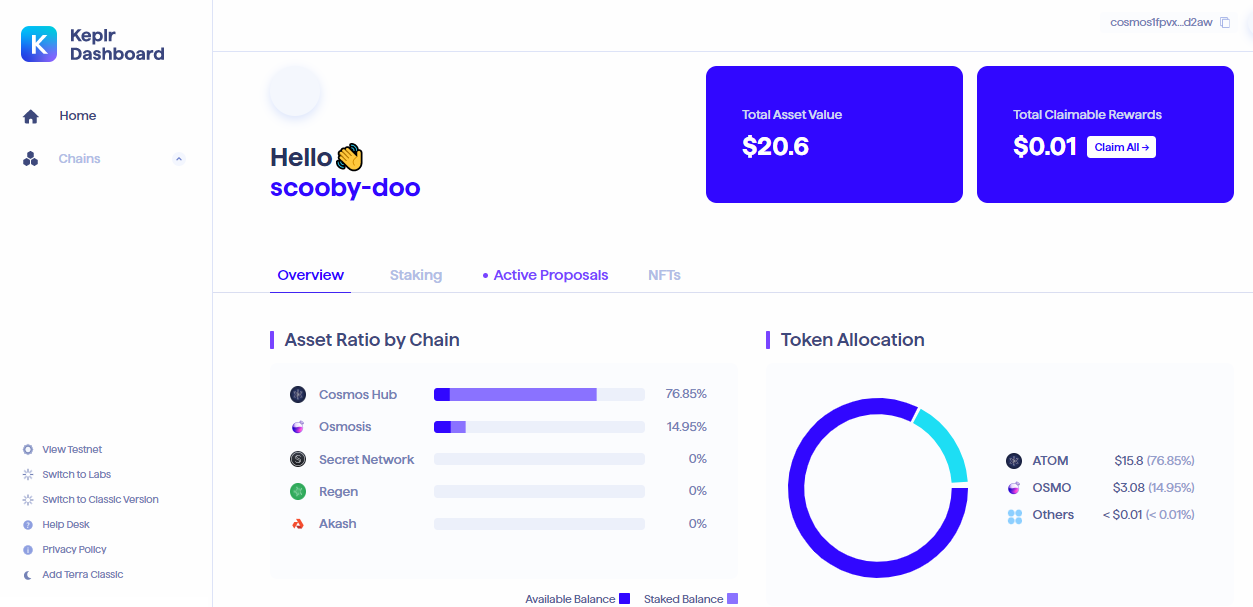
Click Chains to explore the chains available with Keplr and check the staking statistics.
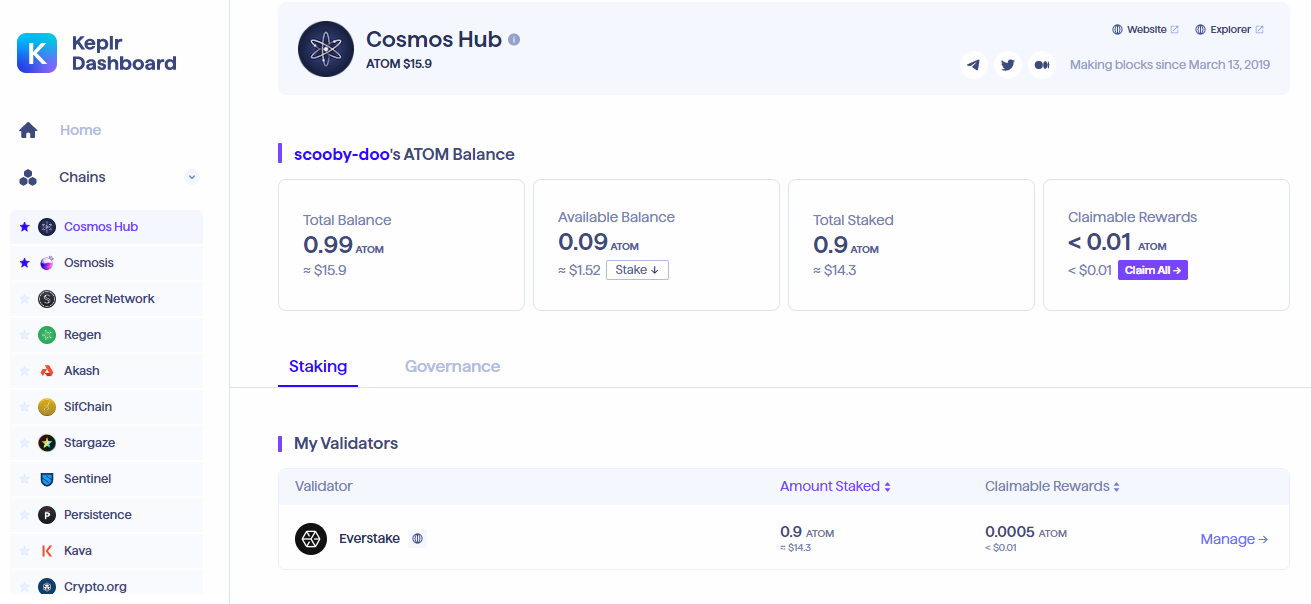

The Chains section of the Keplr Wallet website features your total asset value, total claimable rewards, and a breakdown of your assets by chain.
Step 3. Claim ATOM Staking Rewards
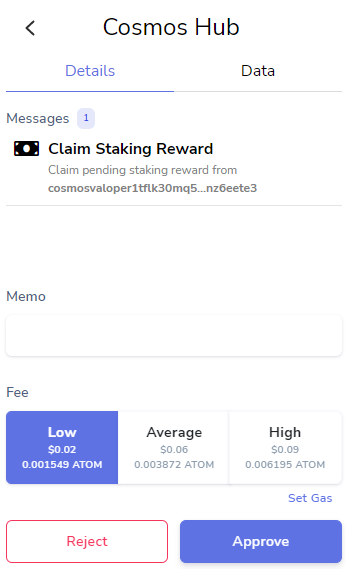
You can get any amount of ATOM staking rewards, but please be mindful of the fee. If it exceeds the reward to be collected, the transaction will generate losses instead of profits.
To get your staking rewards on your account, launch the wallet. In the Keplr Wallet extension pop-up, click Claim.
The transaction fee exceeds the amount claimed, so let’s postpone the transaction until after the delegation yields a sufficient reward.
Conclusion
The Keplr Wallet enables holding and staking of multiple crypto assets and offers sustainable support for Cosmos Hub (ATOM).
With the IBC, Keplr also provides an exposure to a wide range of applications built on Cosmos. Staking, reward claiming, and unstaking go flawlessly at low transaction fees as you delegate your coins to a trusted validator.
Contact our Cosmos Blockchain Manager on Twitter to get 24/7 support and stay up to date with all Cosmos events and updates.
Share with your network
Related Articles
Cosmos
How to Stake ATOM via Trust Wallet: a Comprehensive Guide
Staking ATOM through Trust Wallet takes just minutes. Our detailed guide shows how to set up your wallet, choose a validator, and manage your rewards safely and confidently.
OCT 27, 2025

Cosmos
How to Auto-Compound Staking Rewards in Cosmos Chains with REStake App
Manual restaking takes time. REStake keeps your Cosmos delegation active automatically: securely, transparently, and under your full control.
OCT 23, 2025
Cosmos
How to Stake ATOM with Keplr Wallet: A Step-by-Step Guide
From wallet setup to reward claiming, this guide covers everything you need to start staking ATOM on Keplr: securely and without guesswork.
OCT 07, 2025
Disclaimer
Everstake, Inc. or any of its affiliates is a software platform that provides infrastructure tools and resources for users, but does not offer investment advice or investment opportunities, manage funds, facilitate collective investment schemes, provide financial services, or take custody of, or otherwise hold or manage, customer assets. Everstake, Inc. or any of its affiliates does not conduct any independent diligence on or substantive review of any blockchain asset, digital currency, cryptocurrency, or associated funds. Everstake, Inc., or any of its affiliates, providing technology services that allow a user to stake digital assets, does not endorse or recommend any digital assets. Users are fully and solely responsible for evaluating whether to stake digital assets.
Sign Up for
Our Newsletter
By submitting this form, you are acknowledging that you have read and agree to our Privacy Notice, which details how we collect and use your information.