ethereum
How to Stake Ethereum (ETH) with Exodus Mobile Wallet: A Step-by-Step Guide
Staking Ethereum doesn’t need to be complex. Here’s how to do it directly from the Exodus mobile app, with clarity and control.
DEC 19, 2025
Last updated FEB 23, 2026 · V1
Ethereum is one of the most widely used blockchains, powering thousands of decentralized applications and smart contracts. One of the most effective ways to contribute to its security and network participation is through staking. Staking ETH means locking up your tokens to support validator operations, in return for which you receive on-chain rewards.
This guide will walk you through the step-by-step process of staking Ethereum using the Exodus Mobile Wallet. You’ll learn how to set up your wallet, fund it with ETH, delegate your tokens, and later claim rewards or unstake when needed.
What is Ethereum and Why Stake It?
Ethereum (ETH) is the second-largest cryptocurrency by market capitalization and the foundation of decentralized finance (DeFi). Since Ethereum’s transition to Proof-of-Stake (PoS), the network relies on validators to propose and confirm blocks.
By staking ETH, you can:
- Help secure the Ethereum blockchain.
- Support decentralization.
- Participate in network consensus.
- Receive staking rewards directly on-chain.
Staking ETH is a straightforward process that can be completed directly from your wallet, such as Exodus.
What is Exodus Wallet?
Exodus is a multi-currency, self-custodial cryptocurrency wallet available on both desktop and mobile platforms. It supports hundreds of assets and provides a straightforward interface for managing, purchasing, and staking cryptocurrencies. With built-in staking functionality, Exodus allows you to delegate ETH and track rewards without relying on third-party services.
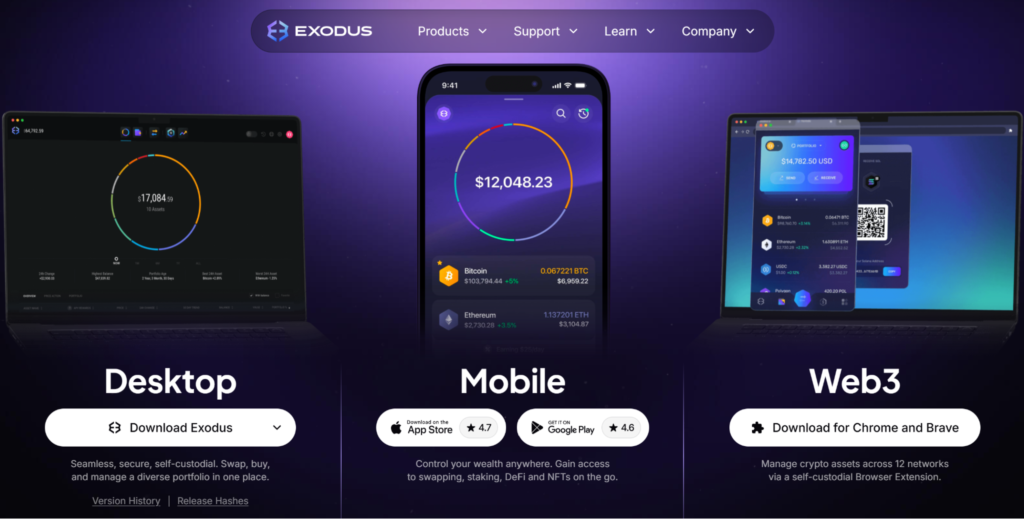
Exodus is available on both desktop and mobile, allowing you to choose the version that suits your workflow. This guide will walk you through the staking process on the mobile platform. You only need to follow the steps.
How to Set Up Your Exodus Mobile Wallet
Follow these steps to set up and prepare your wallet for staking easily.
Step 1: Download the Mobile App
Go to the official Exodus download page and install the app for iOS or Android.
Step 2: Create a New Wallet
- Open the app and accept the terms and conditions.
- Tap Create Wallet.
- A short walkthrough introduces the main features, and your wallet will be generated automatically.
Step 3: Secure Your Mobile Wallet
Before staking, it’s critical to secure your wallet:
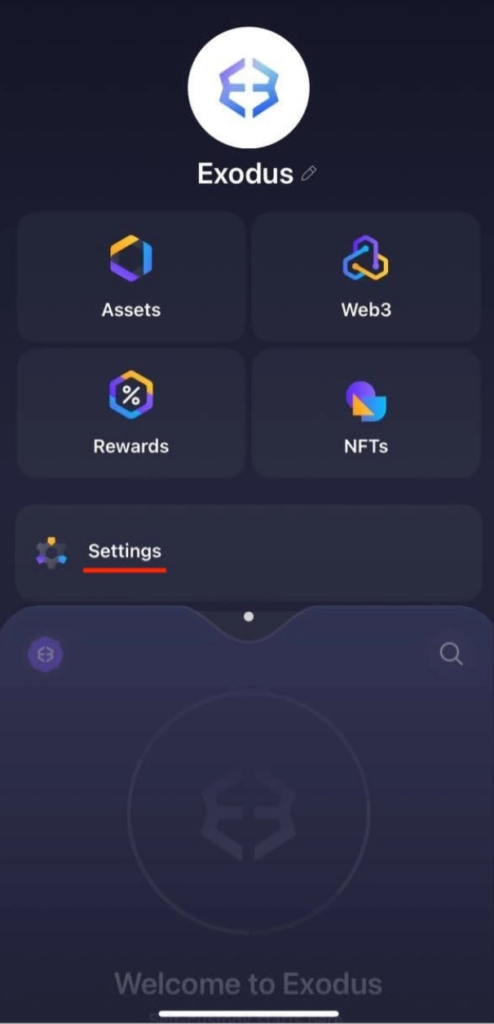
- Open the main dashboard and go to Settings.
- At the top, you’ll see: Backups, Passcode Lock, and Biometric Lock.
- Backups allow you to recover your wallet if your phone is lost or damaged.
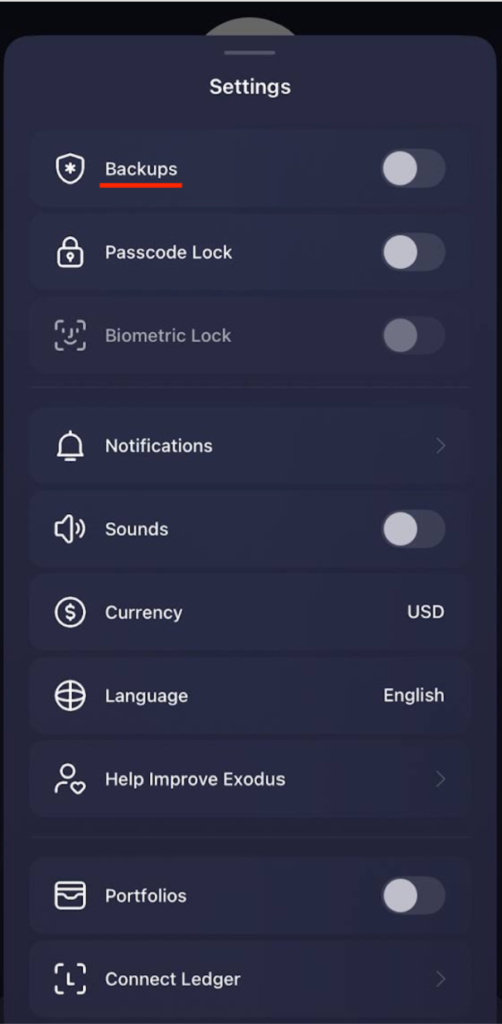
- Choose between iCloud Backup (Apple devices) or Secret Phrase (12 words you must write down).
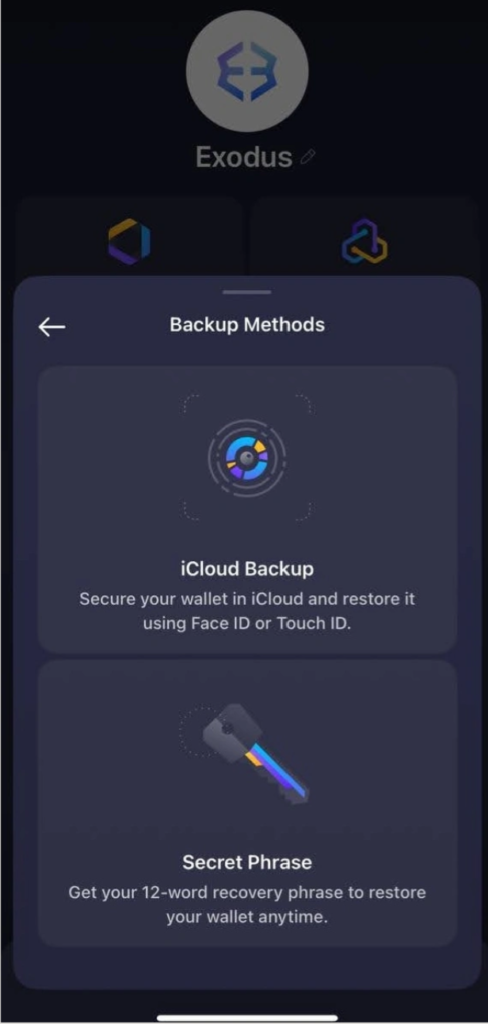
- Write the Secret Phrase offline and store it in a safe place. Avoid screenshots or saving it digitally.
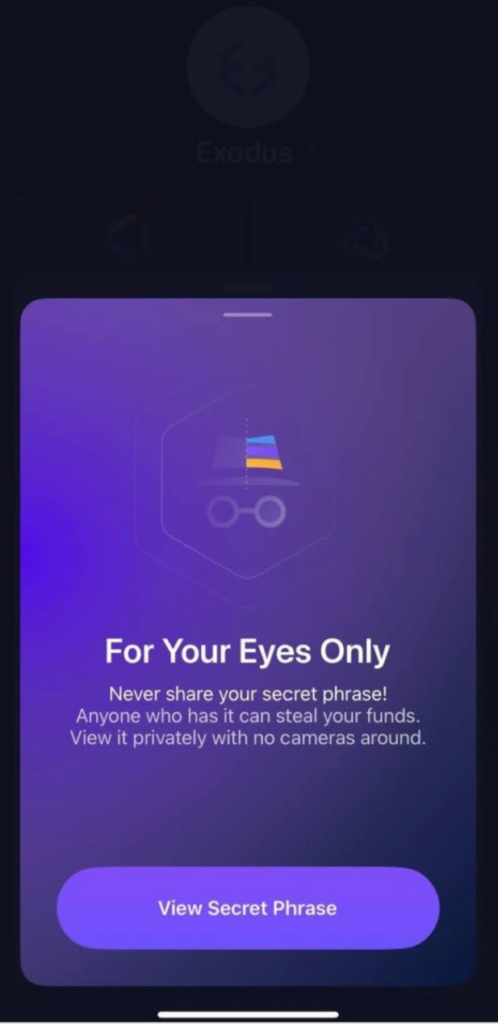
Once your wallet is backed up and secured with a passcode or biometrics, you can start staking.
How to Stake ETH via Exodus Mobile
Step 1: Open Your Wallet and Choose Ethereum
- Open the Exodus Mobile app.
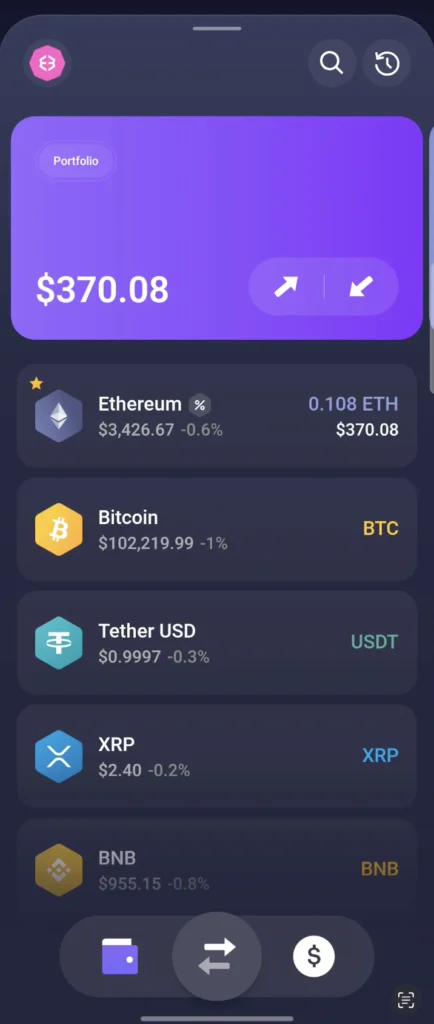
- On the main Portfolio screen, scroll through your asset list and tap Ethereum (ETH).
- You will be taken to the ETH overview page, where you can see the chart, current price, and your available balance.
Step 2: Open the Staking Rewards Panel
- On the ETH asset page, scroll down until you see the Staking Rewards section.
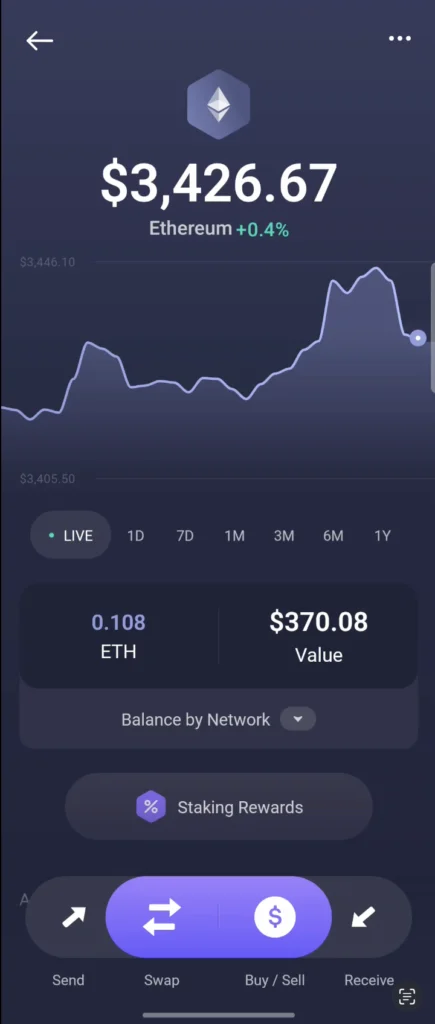
- Tap Staking Rewards to open the staking dashboard.
Step 3: Start the Staking Process
- Tap Stake ETH.
- Enter the amount of ETH you want to stake.
The amount must be lower than or equal to your available balance.
You can tap All to automatically fill your maximum available ETH.
- Review the network fee displayed under the amount field.
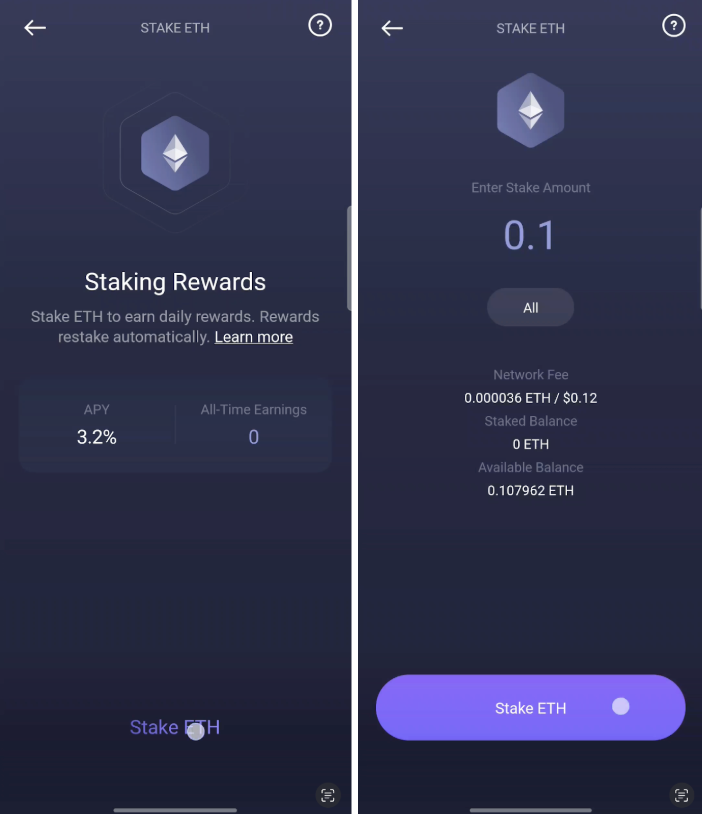
- When ready, tap Stake ETH to proceed.
Step 4: Confirm Your Staking Transaction
- A confirmation screen will appear with the summary of your staking request.
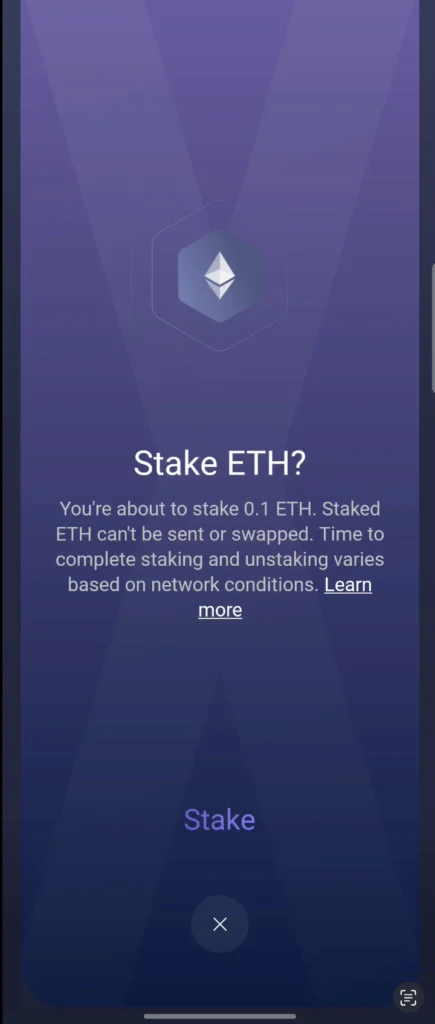
- It will remind you that:
- Staked ETH cannot be sent or swapped until it is unstaked.
- Staking and unstaking times vary depending on network conditions.
- Tap Stake to confirm.
You will see a short loading screen labeled Staking — Just a moment.
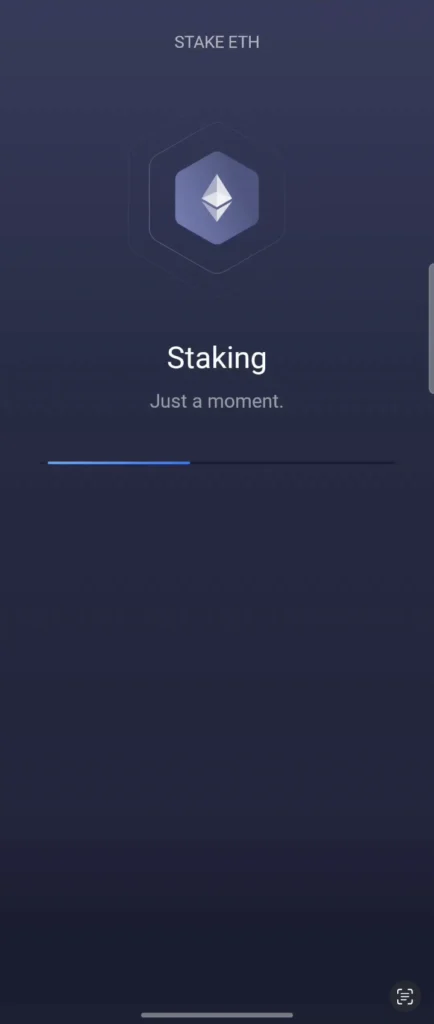
This may take a few seconds.
Step 5: Staking Complete
Once the transaction is finalized, you will see You’re All Set!
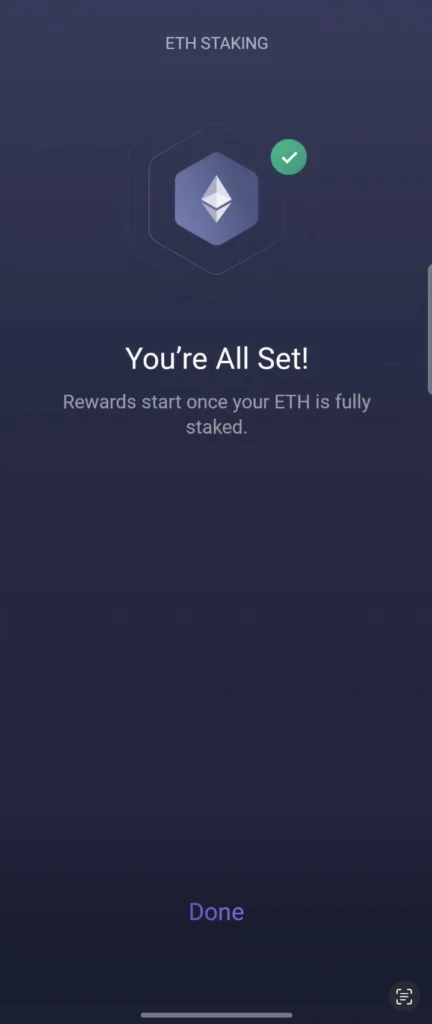
- Tap Done to return to your Ethereum page.
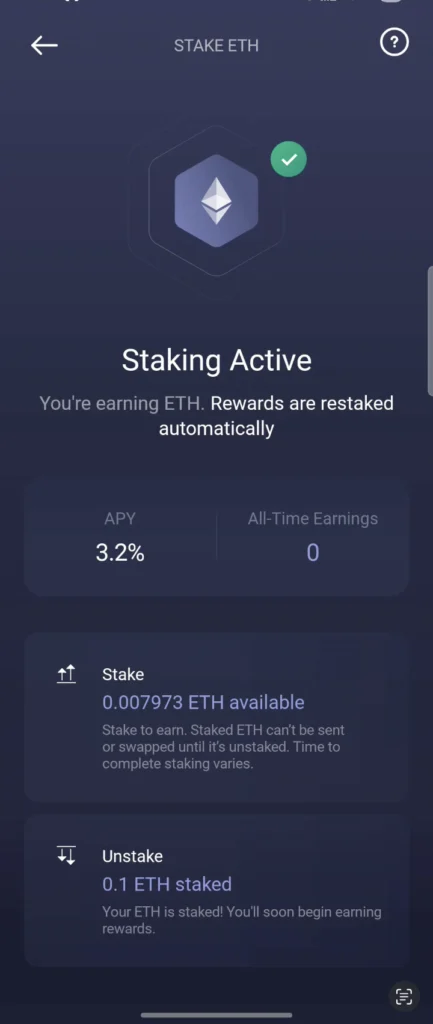
Step 6: View Your Staking Status and Rewards
- Back on the ETH asset page, scroll down to the staking section.
Here you can see:
- Staking Active status
- Your total staked amount
- Daily and monthly reward estimates
- Your current available balance
- A button to Manage Rewards
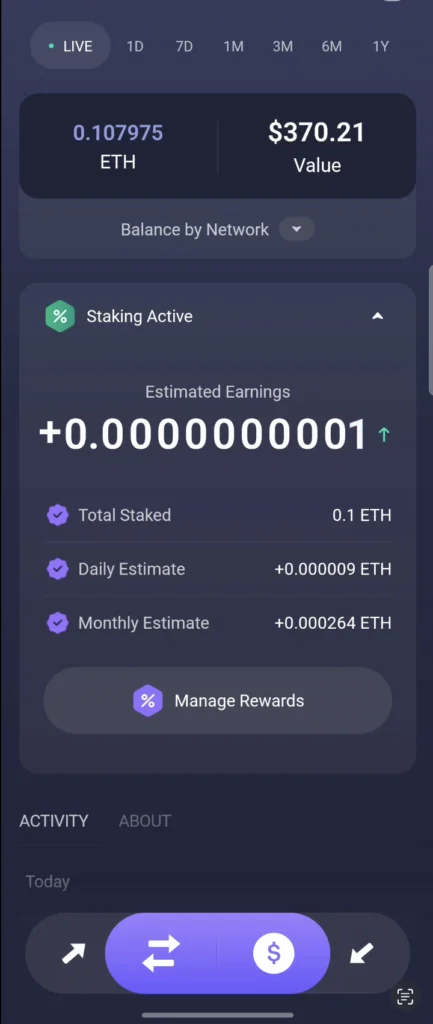
You can return to this page any time to check your staking progress, estimated rewards, and reward accumulation.
How to Unstake on Exodus Mobile
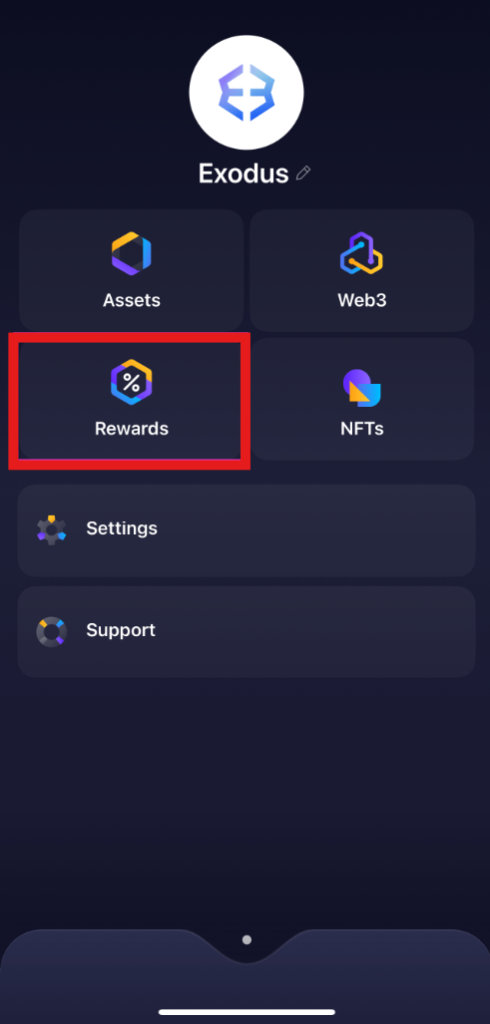
- Tap the wallet icon, then swipe down to the profile screen.
- Tap Rewards.
- Select Ethereum.
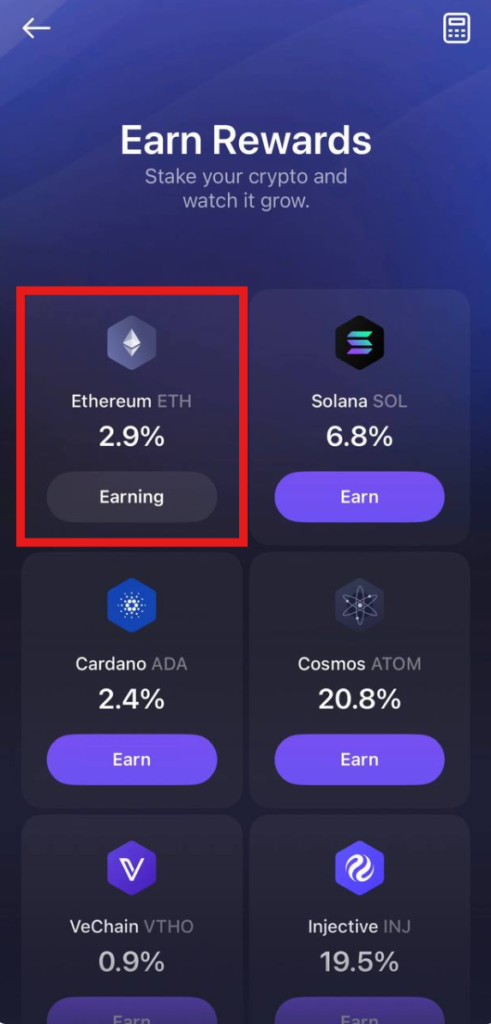
- Tap Unstake
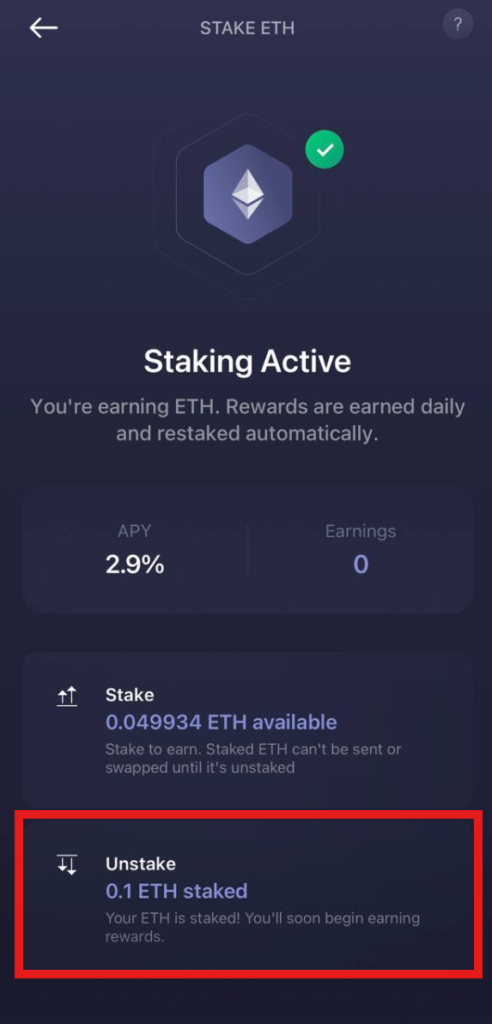
- Or tap Claim to get your rewards.
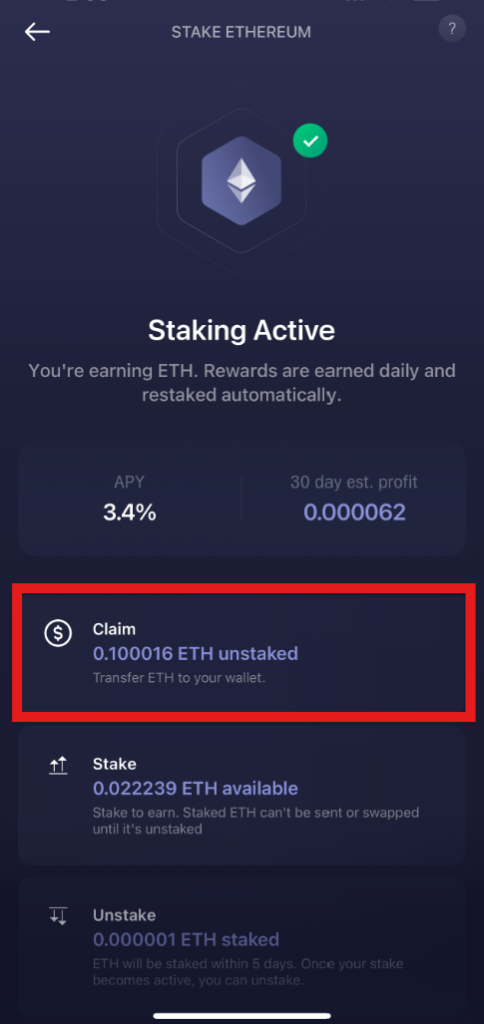
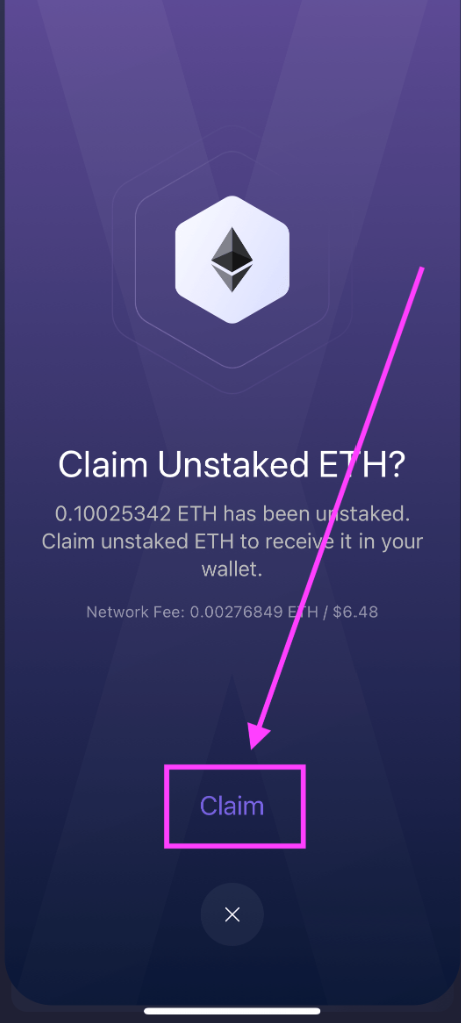
- Review the summary of your request and tap Claim to confirm.
- Enter the amount of ETH to unstake (minimum 0.1 ETH, and at least 0.1 ETH must remain staked if you’re partially unstaking). Tap Unstake ETH.
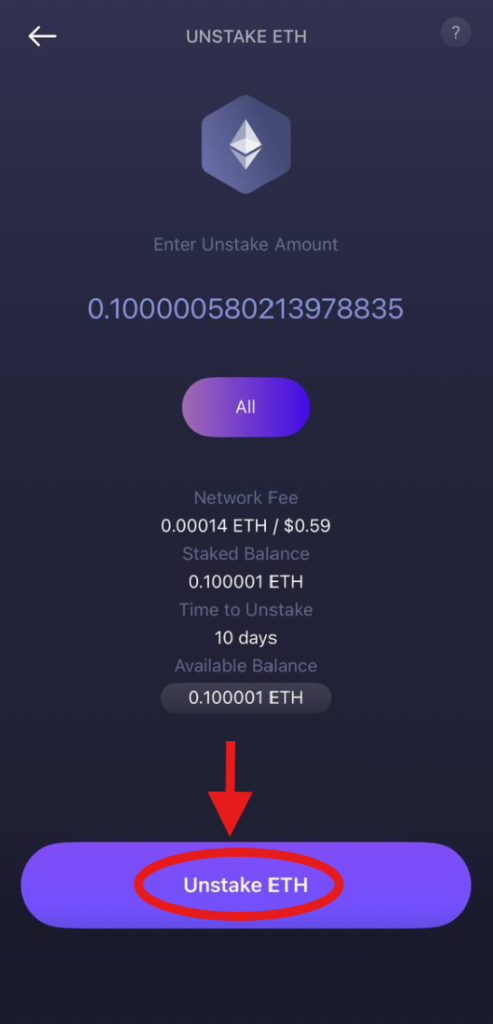
When unstaking completes, claim your unstaked ETH to return it to your wallet balance.
That’s it! You’ve successfully managed your staking lifecycle in Exodus.
Last Words
That’s it, your ETH is now staked and working in the background. With Exodus, it really comes down to just a few taps. From here, you only need to check in once in a while to see your rewards or decide if you want to unstake some of your balance.
***
All metrics displayed on the website, including without limitations value of staked assets, total number of active users, rewards rates, and networks supported, are historical figures and may not represent the actual real-time data.
Share with your network