
Injective
How to Stake INJ Using the Exodus Mobile Wallet
Want to get rewards while supporting the Injective blockchain? This guide shows you step-by-step how to stake your INJ tokens using the user-friendly Exodus mobile wallet.
NOV 07, 2025
Last updated FEB 23, 2026 · V1
Staking INJ is one of the easiest ways to participate actively in the Injective ecosystem. It helps maintain the network’s security and ensures its smooth operation. With the Exodus Mobile Wallet, you can delegate your INJ tokens in just a few taps without technical expertise.
This guide walks you through everything you need to know: what Injective is, why staking matters, and how to stake INJ directly in the Exodus app.
What Is Injective and Why Stake INJ?
Injective (INJ) is a highly interoperable Layer 1 blockchain for decentralized finance (DeFi) applications. It enables developers to build custom decentralized exchanges (DEXs), derivatives platforms, prediction markets, and other financial tools. Injective’s architecture emphasizes speed, scalability, and low fees, making it a strong choice for on-chain trading solutions.
Staking INJ supports the consensus mechanism that keeps the network secure and decentralized. By staking, token holders contribute to the network’s stability and governance, helping validators process transactions and maintain integrity across the ecosystem.
What Is the Exodus Wallet?
Exodus is a self-custodial, multi-asset wallet that gives users complete control over their digital assets. Available for desktop and mobile, it offers an intuitive interface, built-in portfolio tracking, and staking functionality for multiple networks, including Injective.
With the Exodus Mobile Wallet, you can manage, send, receive, and stake cryptocurrencies in one place while keeping your private keys fully under your control.
How to Stake INJ via the Exodus Mobile Wallet
Follow this guide to easily stake your INJ tokens using the Exodus Mobile Wallet. It’s a simple process, even for staking beginners. To get started, you first need to create a wallet. Let’s dive in!
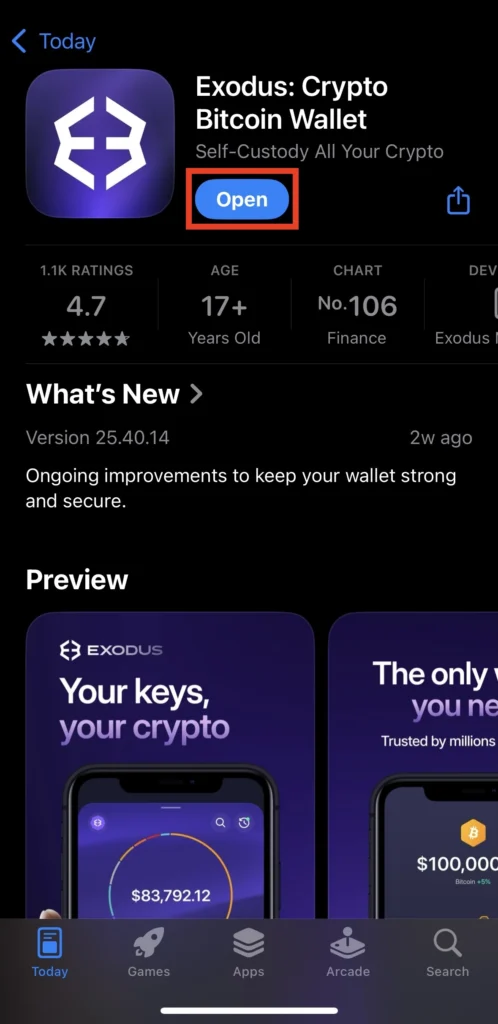
Step 1: Install the Exodus Wallet
- Download the Exodus Mobile app from the App Store or Google Play.
- Once the app is installed, tap Open.
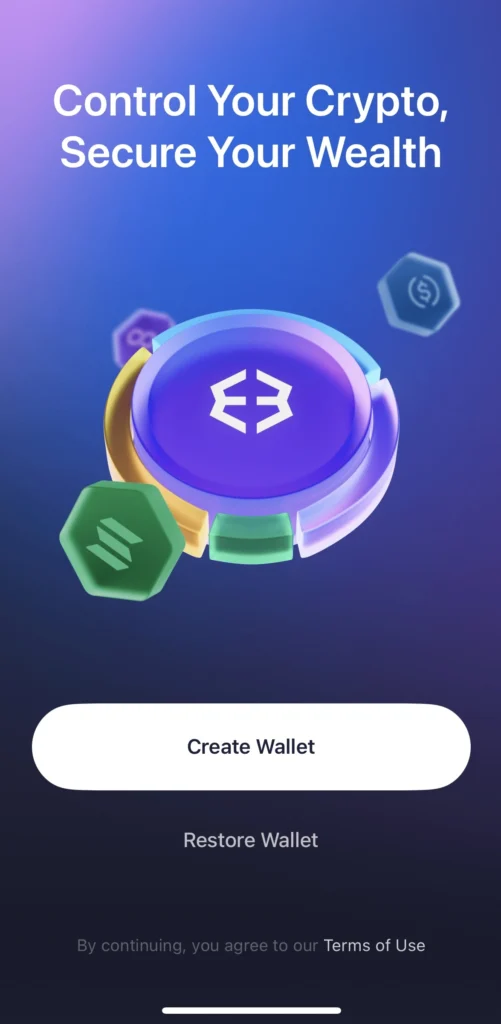
Step 2: Create a Wallet
- To create a new wallet, click Create Wallet.
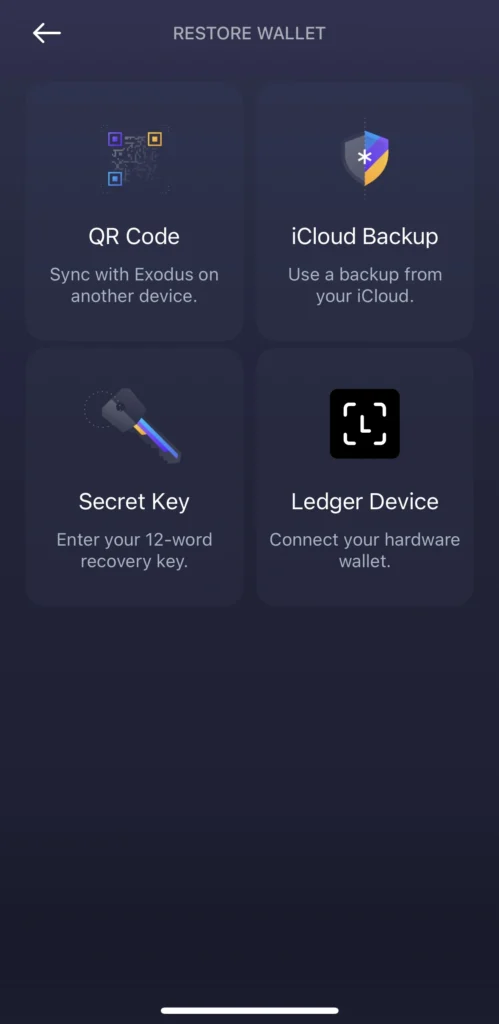
- Alternatively, import an existing wallet by clicking on the Restore Wallet button and restoring the wallet using one of the available options: QR Code, iCloud Backup, Secret Key or Ledger Device.
For this guide, we will create a brand-new wallet. After clicking Create Wallet, proceed to secure your account.
Step 3: Secure Your Account
Exodus Wallet recommends generating a backup before initiating any transactions. This ensures you can recover your wallet in case of device loss or app unavailability.
To create a backup copy of your Exodus Wallet:
- Go to Settings
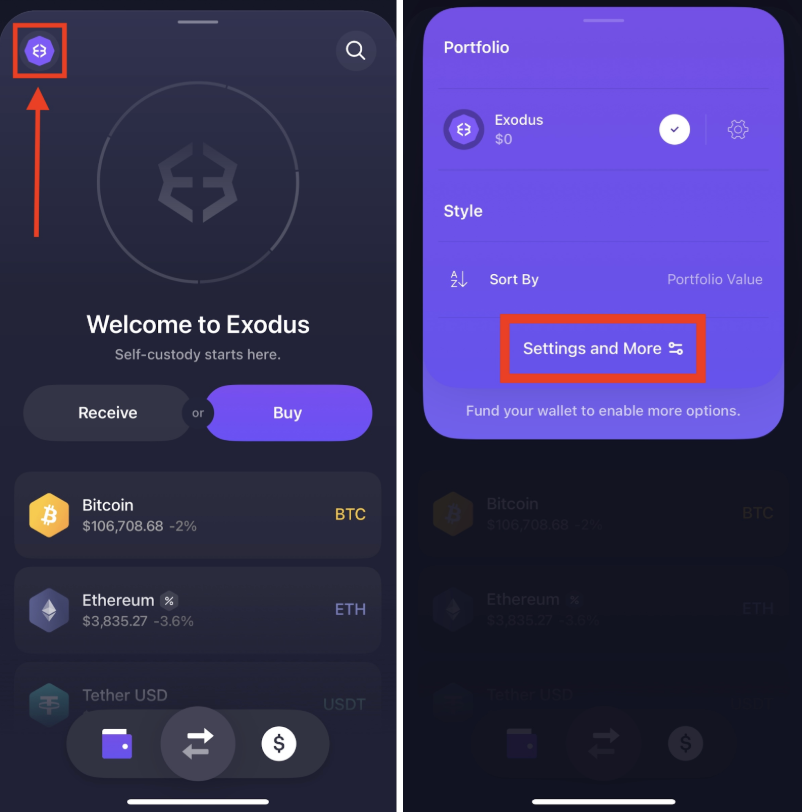
- Tap Backups.

- Choose one of the available backup methods and follow the instructions
iCloud Backup: store your wallet in iCloud and restore it with Face ID or Touch ID.
Secret Key: obtain your 12-word recovery key. Make sure no one else can see your screen, tap View Secret Key then Press and Hold to Reveal, and save the phrase in a secure location.
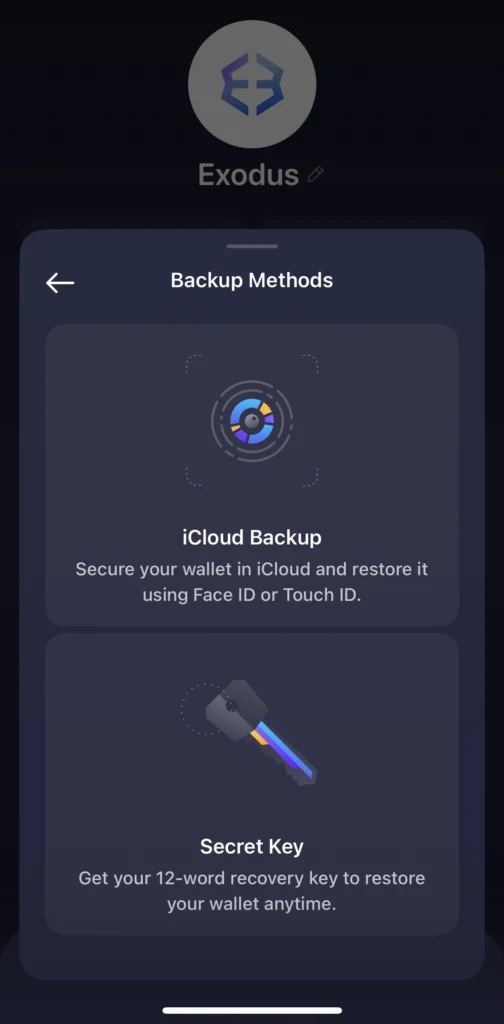
- Confirm it by clicking Done and then Verify Backup.
Step 4: Activate Injective in Your Wallet
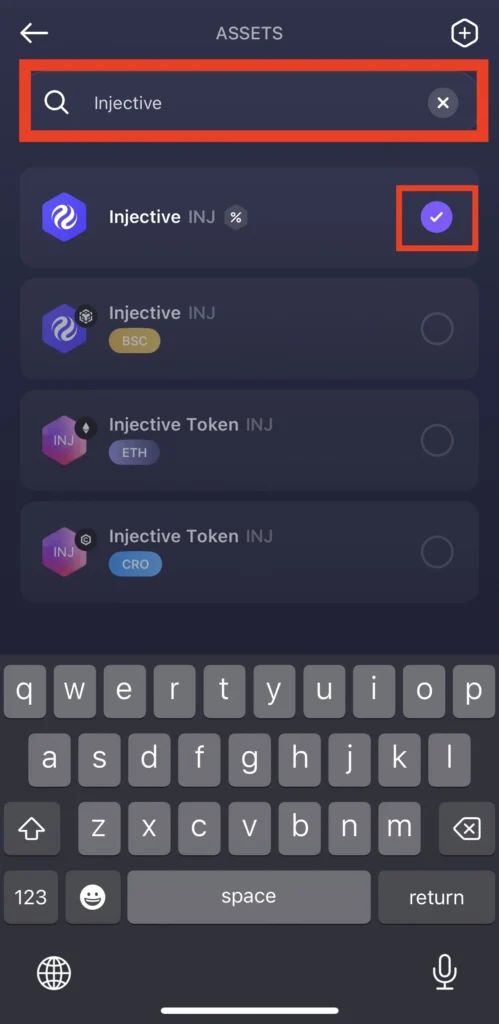
- Go to Assets.

- Search for Injective and enable it to add INJ to your portfolio.
Step 5: Top Up Your Wallet
- In your portfolio go to Assets and tap Injective.
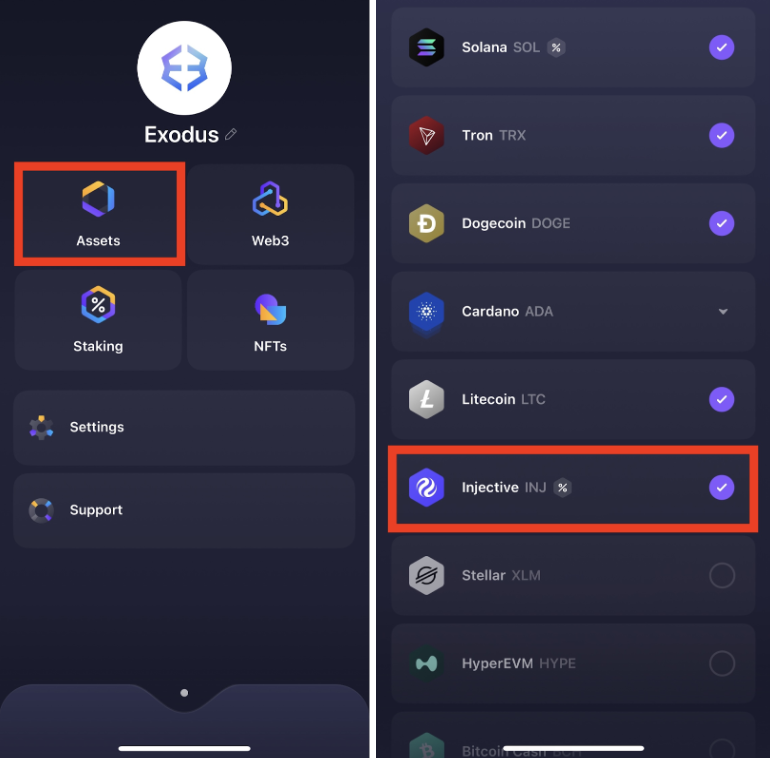
- Or swipe up to open your portfolio and find Injective in the list of available assets.
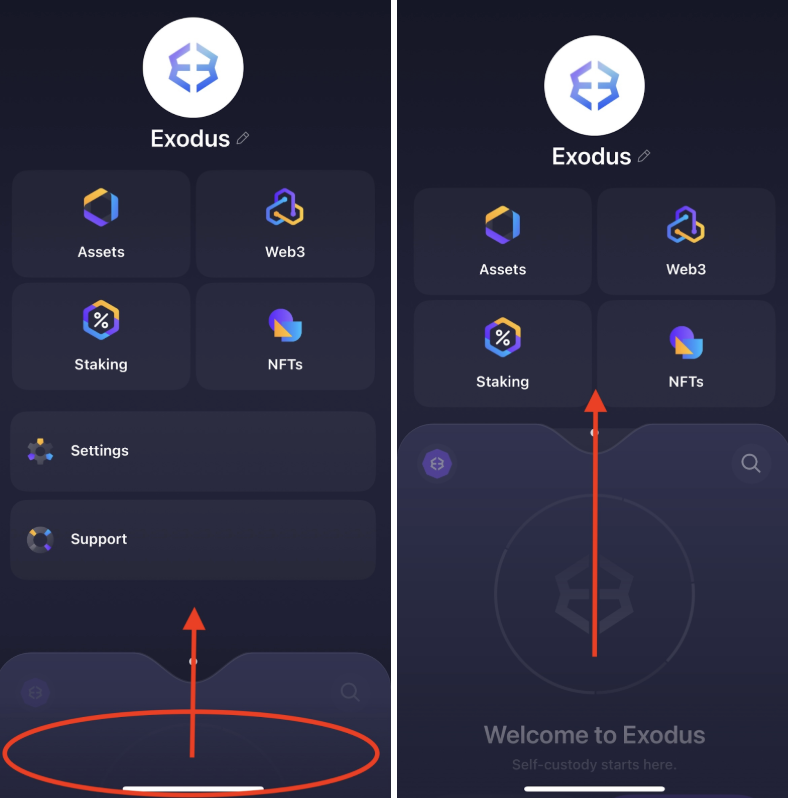
- Tap Receive.

- Copy your INJ wallet address and send INJ tokens to it.
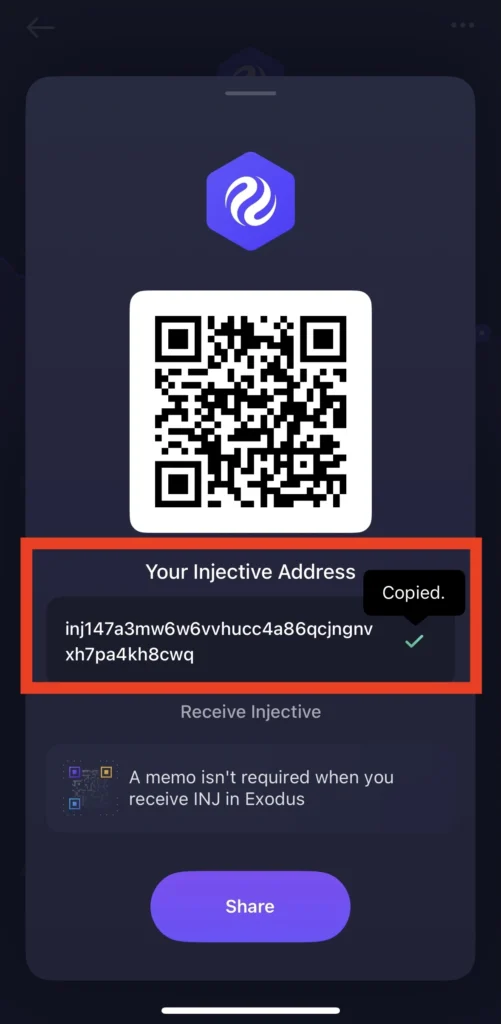
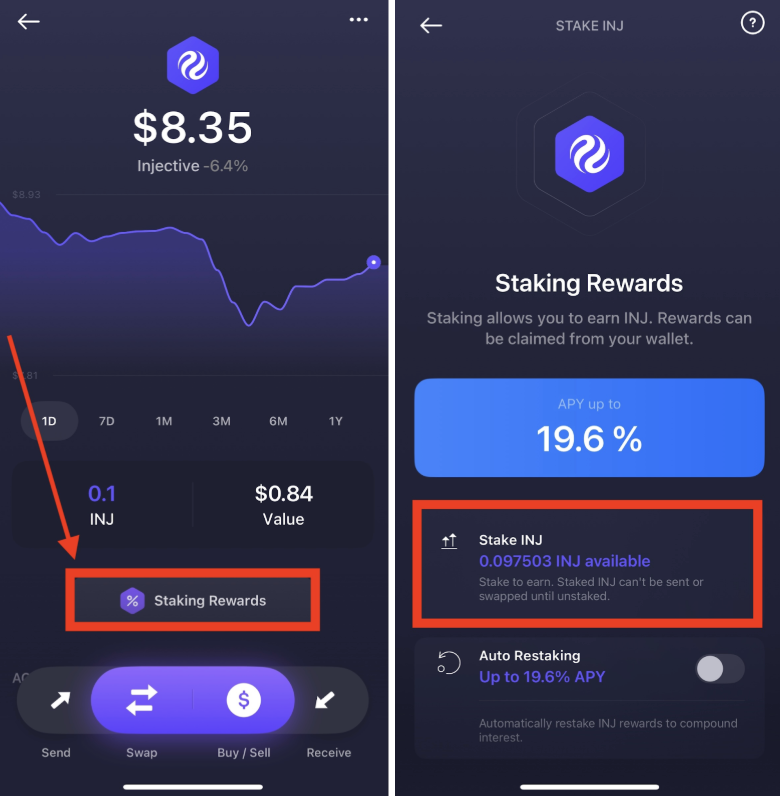
Step 6: Stake INJ
- Tap the Staking Rewards button and then Stake INJ.
- Enter the amount of INJ you want to stake and tap Stake INJ.
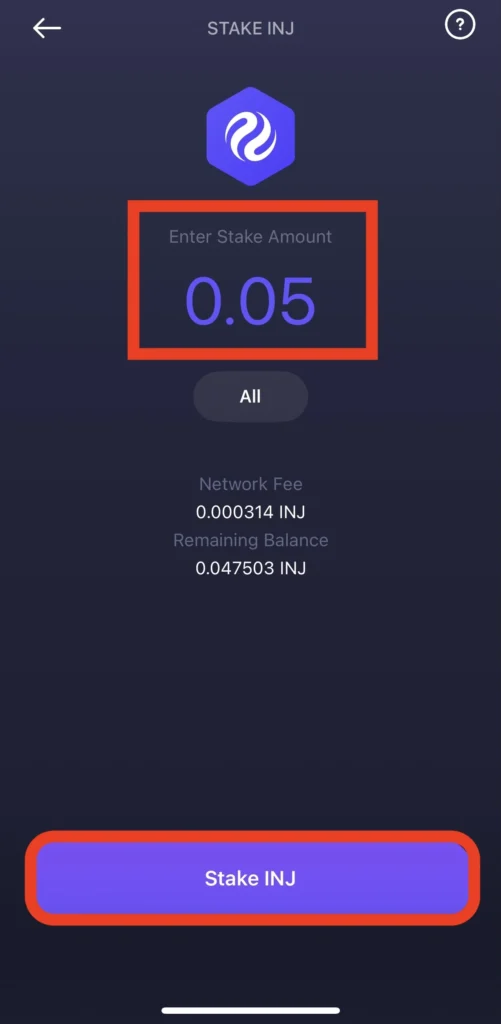
- Confirm the operation and press Stake.

- Your INJ is now staked!
Step 7: Activate the Auto-Restaking Feature
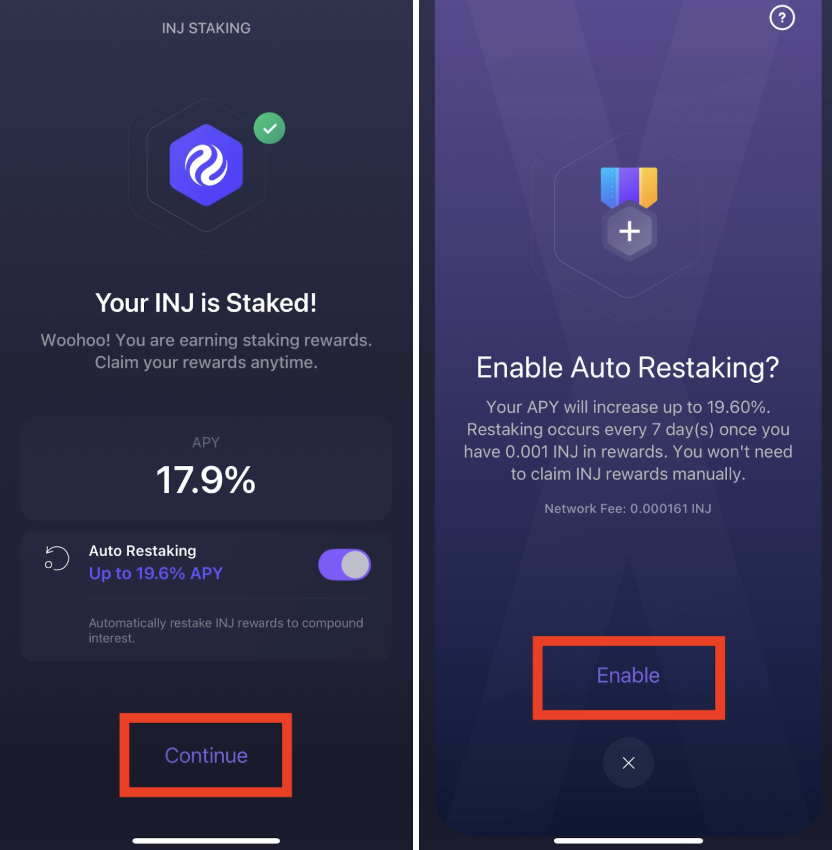
The Exodus Mobile Wallet offers an Auto-Restaking function, which automatically re-stakes your claimed INJ rewards. This ensures that your tokens continue supporting the network without needing to restake manually.
To enable it, click Continue and then Enable.
The Takeaway
Staking INJ through the Exodus Mobile Wallet is a convenient way to participate in the Injective network and support its decentralization. With a clean interface and quick setup, Exodus makes managing your assets simple and secure. Everstake, as one of the trusted validators in the Injective network, ensures a reliable and transparent staking experience.
***
***
All metrics displayed on the website, including without limitations value of staked assets, total number of active users, rewards rates, and networks supported, are historical figures and may not represent the actual real-time data.
Share with your network