Cosmos
Staking Guides
How to Stake ATOM in Exodus Wallet
Cosmos isn’t built on talk but on staked ATOM. With Exodus, it takes minutes to join in, whether you’re on mobile or desktop.
SEP 15, 2025
Last updated AUG 19, 2026 · V1
Cosmos is called the “Internet of Blockchains” because it connects independent networks through shared standards. At the center of this ecosystem is ATOM, the native token of the Cosmos Hub. One way ATOM holders can contribute to the security and decentralization of the network is by staking their tokens.
This guide will walk you through staking ATOM step by step. You’ll learn about the Cosmos Hub, get an overview of the Exodus Wallet, and then follow clear instructions for staking on both mobile and desktop versions of Exodus. By the end, you’ll know how to start staking, manage rewards, and use optional features like auto restaking.
What is the Cosmos Hub?
The Cosmos Hub is the first blockchain launched within the ecosystem and acts as its backbone. It connects other chains built on the Cosmos SDK through the Inter-Blockchain Communication protocol (IBC), enabling them to exchange data and value.
ATOM plays a central role here: it powers the Hub’s consensus and governance processes. Because many projects rely on the Hub for interoperability, its progress and upgrades often set the direction for the entire Cosmos ecosystem.
What is Exodus Wallet?
Exodus is a digital wallet launched in 2016 that quickly gained popularity for its intuitive design and cross-platform availability. Beyond storage, it enables access to DeFi platforms, NFT purchases through its Chrome browser extension, and direct crypto buys using payment options like Apple Pay.
In addition to supporting hundreds of assets, Exodus includes a built-in staking interface. That means you can delegate tokens like ATOM directly from the wallet without needing extra tools. The only costs involved are the usual blockchain network fees for transactions, while everything else in the app remains free.
Funding Your Exodus Wallet
Funding your Exodus Wallet is a straightforward process. You can:
- Buy crypto directly in Exodus: Use a debit card through integrated providers such as Ramp, MoonPay, or Blockchain.com. Open the Buy & Sell section, select your preferred service, and follow the prompts to complete your purchase.
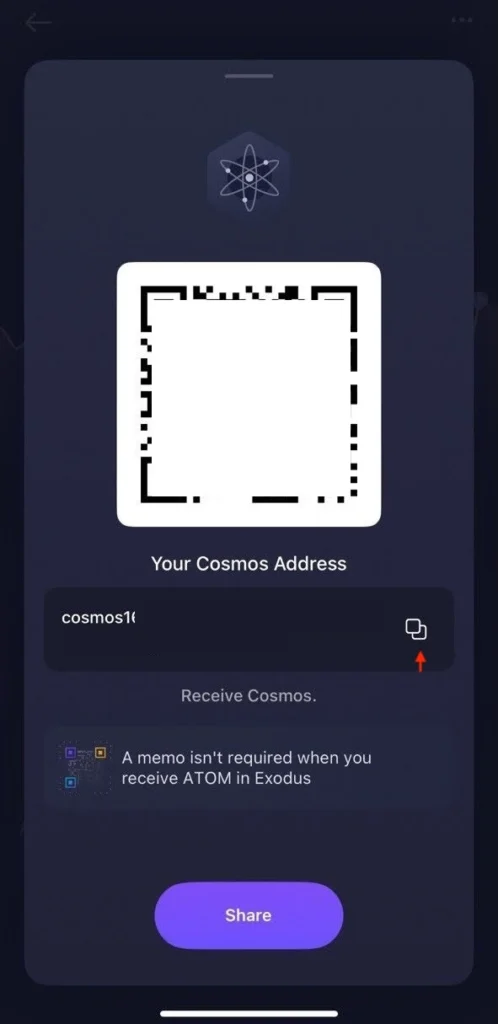
- Transfer ATOM from another wallet or exchange: Open the ATOM tab in Exodus, click Receive, and copy your wallet address. Use this address to send ATOM from an external source. Coingecko provides a full list of supported exchanges where ATOM is available.
Exodus is available on desktop and mobile, so you can choose whichever version suits your workflow. This guide will walk you through the staking process on each platform separately. You only need to follow the steps for the platform you prefer.
How to Set Up Your Exodus Mobile Wallet
If you want to use your mobile wallet, follow these steps.
Step 1: Download the Mobile App
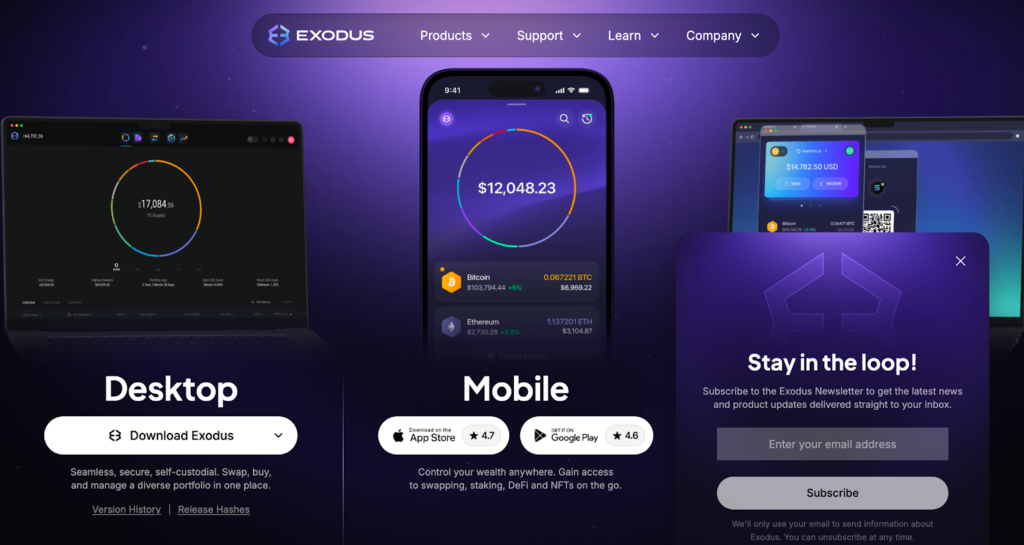
Go to the official Exodus download page and install the app for iOS or Android.
Step 2: Create a New Wallet
- Open the app and accept the terms and conditions.
- Select Create Wallet.
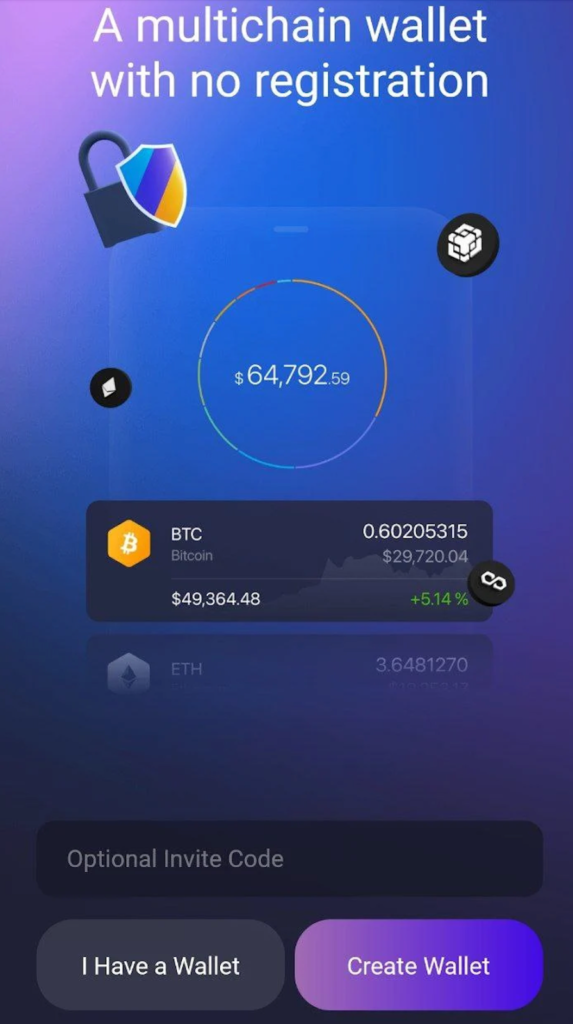
- A short introduction will walk you through the main features, and your wallet will be generated automatically.
Step 3: Secure Your Mobile Wallet
Before staking ATOM, it’s essential to secure your wallet:
- Open the main dashboard (swipe down on the screen).
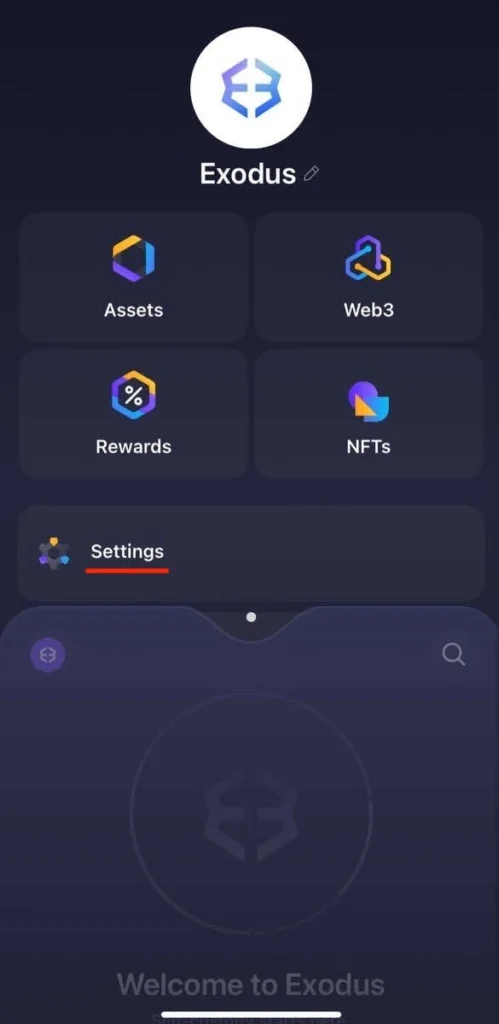
- Go to Settings. At the top, you’ll find three key options: Backups, Passcode Lock, and Biometric Lock.
- Backups ensure you can always restore your wallet, even if your device is lost or damaged.
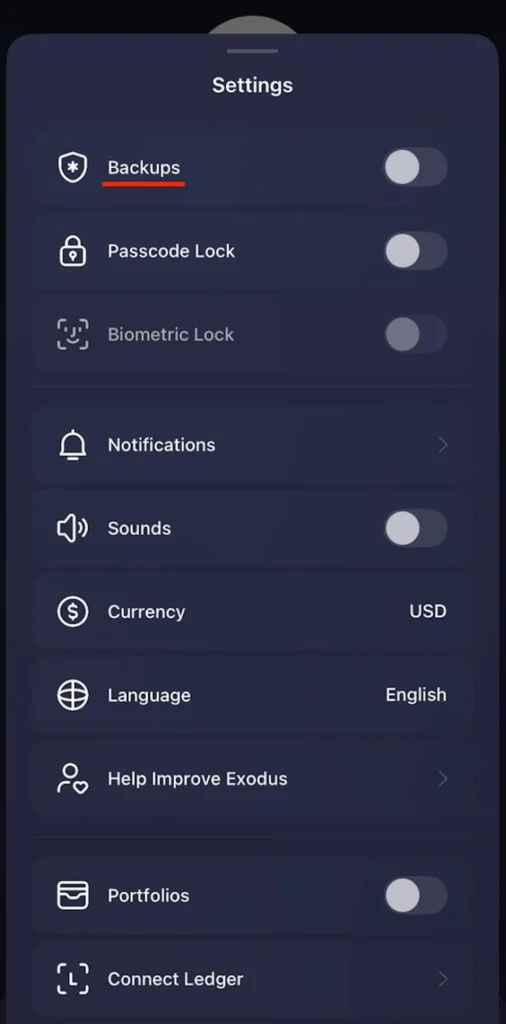
- You can choose between two backup methods: iCloud backup (saves to your Apple storage) or Secret phrase (12 unique words that let you recover your wallet on any device).
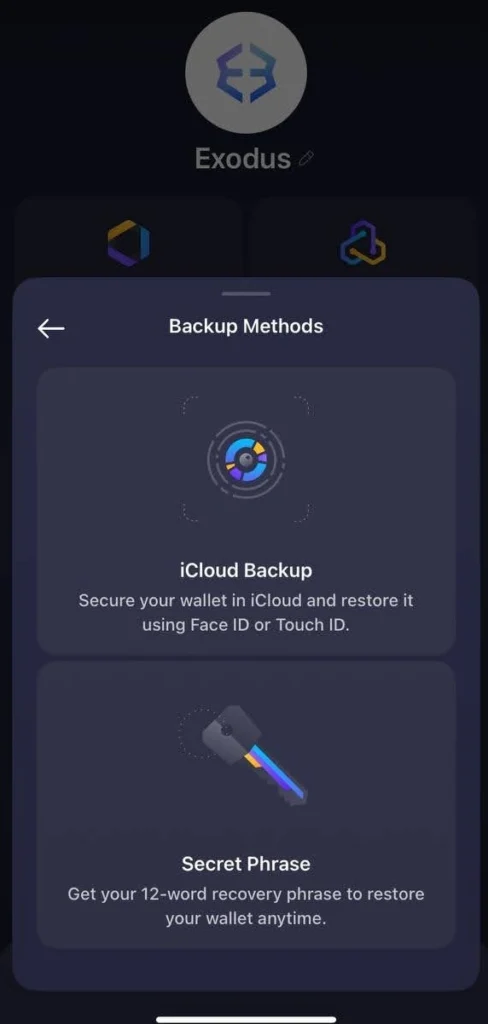
- Write down your secret phrase offline and store it securely. Avoid screenshots or digital copies, as they make your wallet more vulnerable.
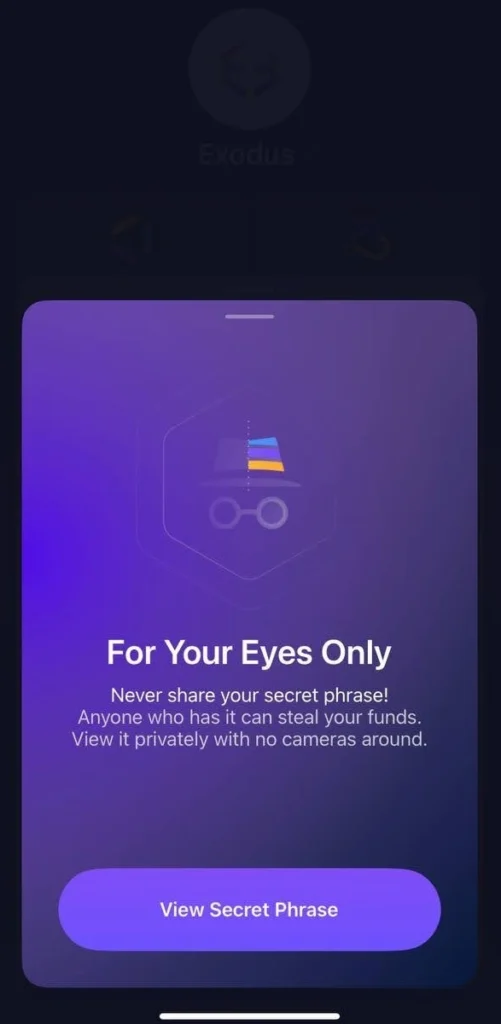
Once your wallet is backed up and secured with a passcode or biometrics, you’re ready to move on to staking ATOM.
How to Stake ATOM via Exodus Mobile
Step 1: Add ATOM to Your Assets
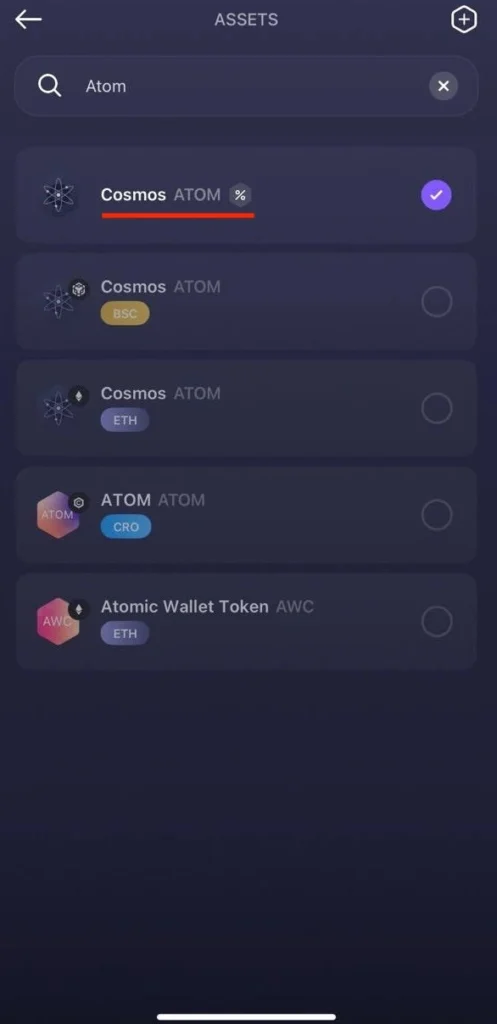
- On the main dashboard, tap Assets.
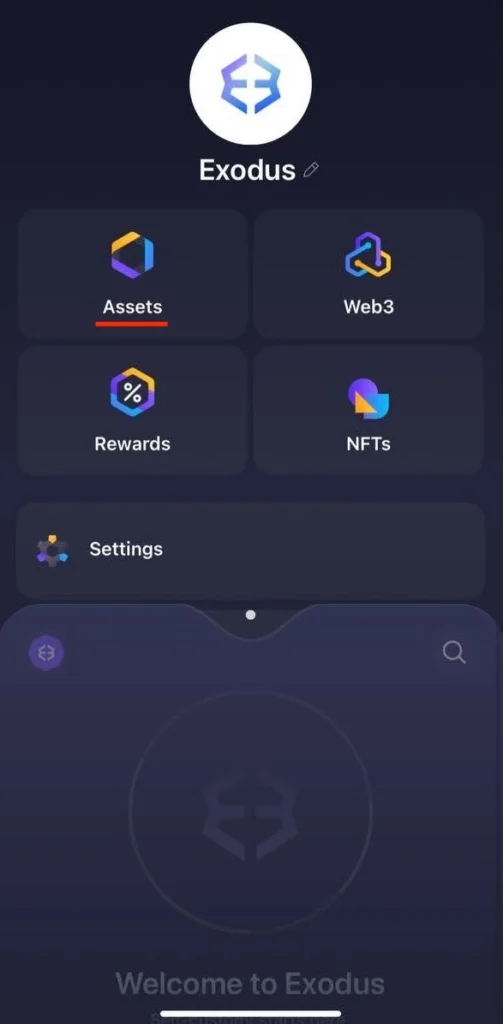
- In the search bar, type ATOM and select it from the list (look for the “%” icon, which shows the token supports staking).
- Open the ATOM tab.
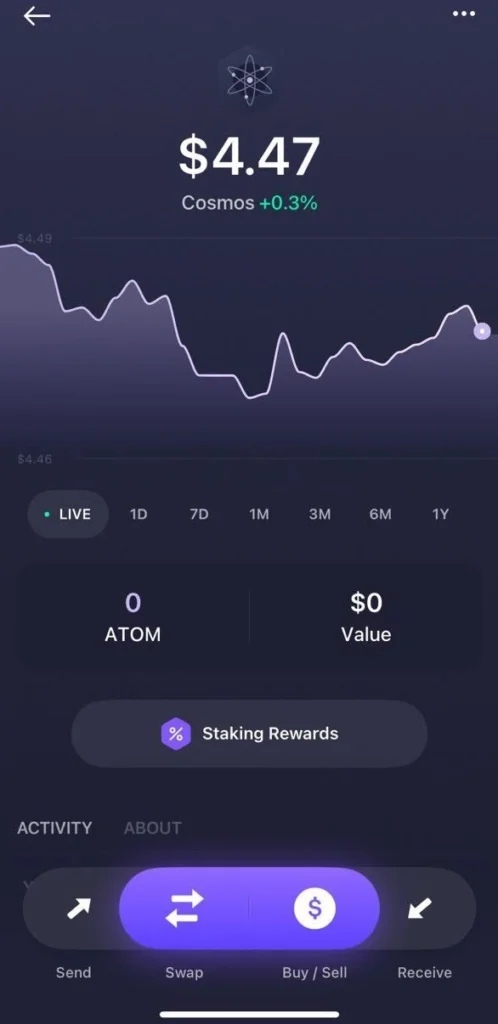
- Make sure you have at least 0.75 ATOM plus a small amount for network fees in your balance.
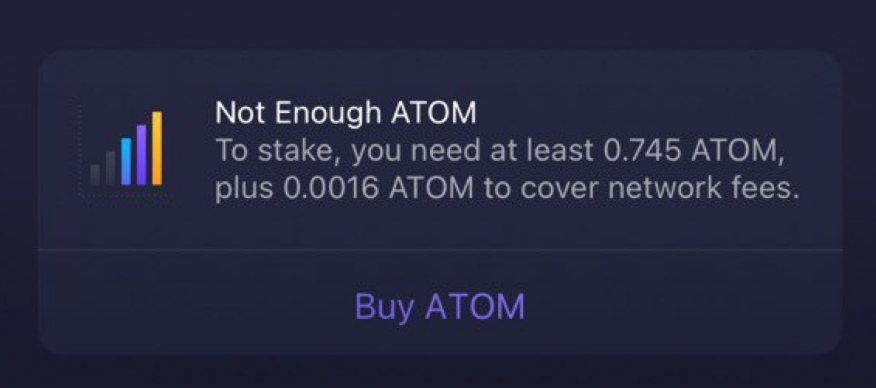
You can top up your wallet in two ways:
- Buy ATOM directly through the Buy/Sell section with a debit card.
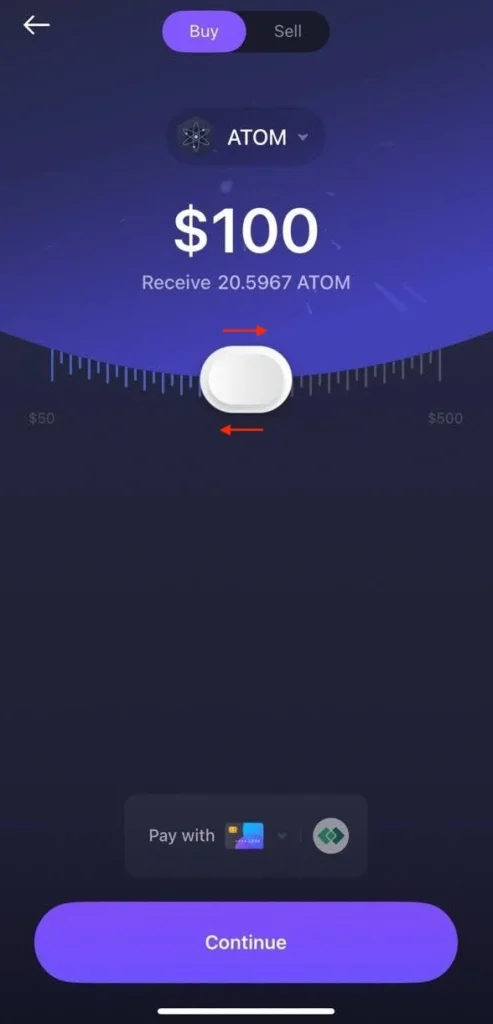
- Receive ATOM from another wallet or exchange by tapping Receive and copying your wallet address.
Step 2: Navigate to the Staking Tab
- From the ATOM tab, tap Staking Rewards.
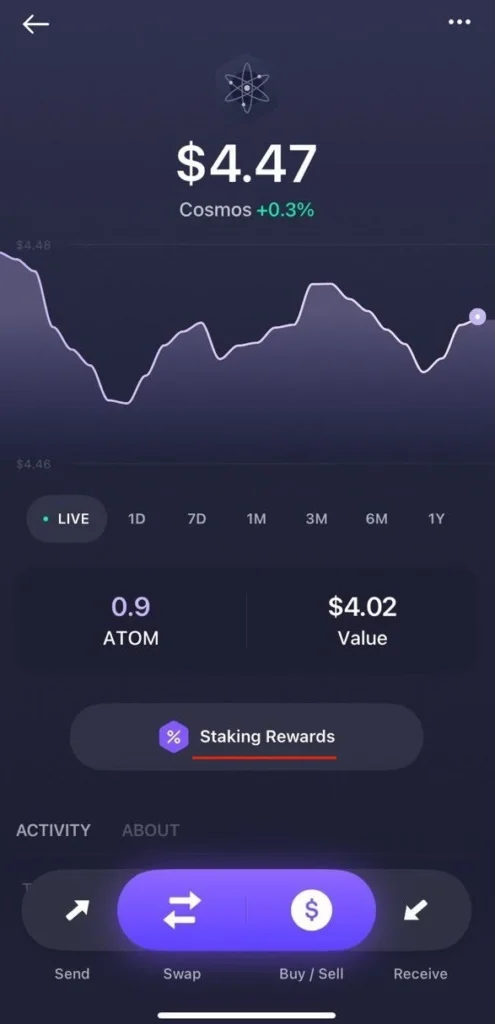
- Review the current staking details.
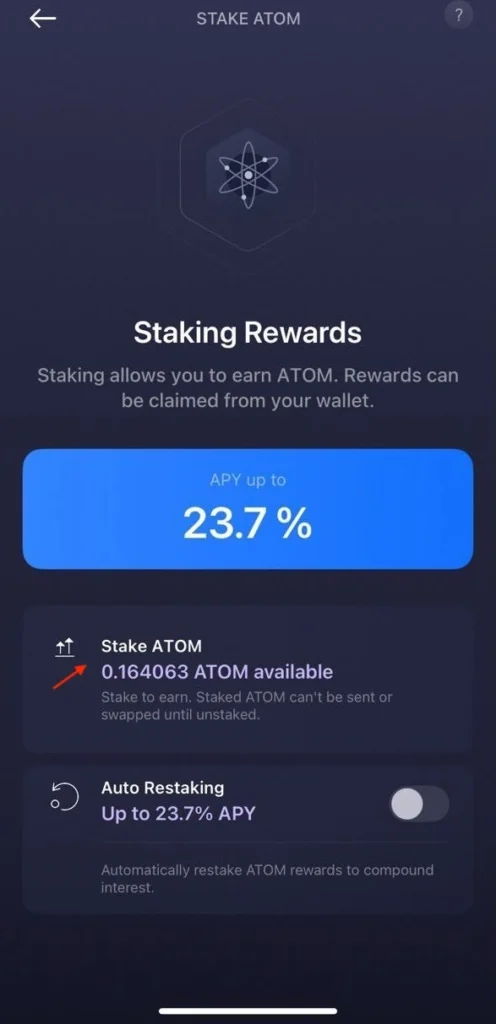
- Tap Stake ATOM.
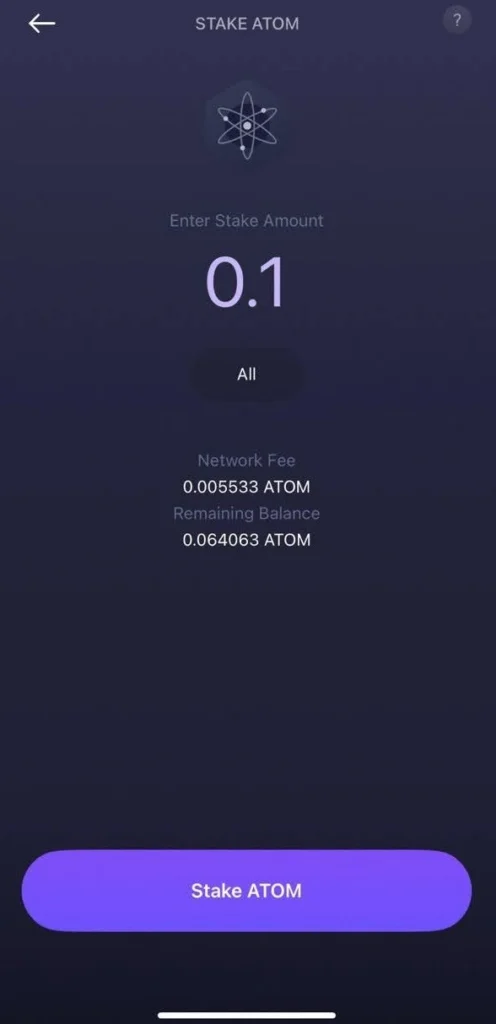
- Enter the amount you’d like to delegate and confirm.
- You’ll see a note about the 21-day unstaking period before confirming the final transaction.
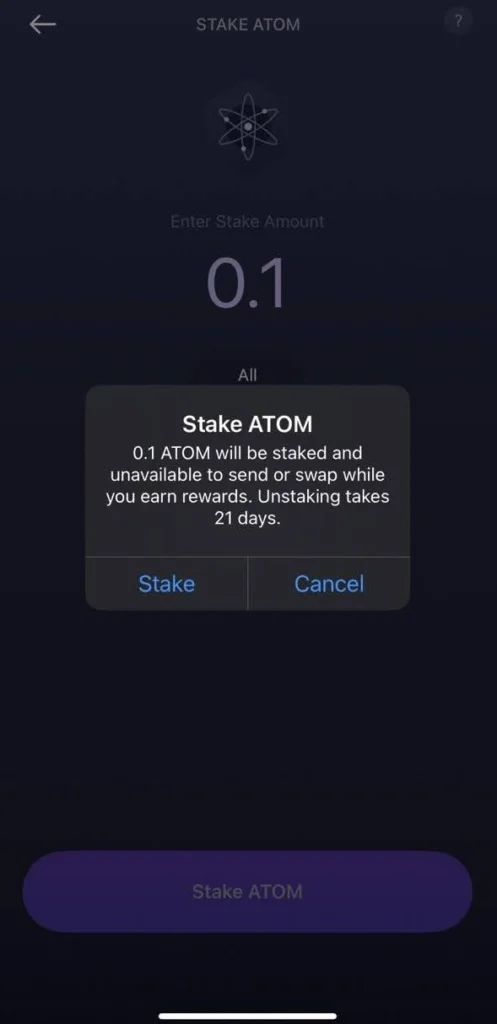
After confirmation, Exodus will show a notification that your ATOM has been successfully staked.
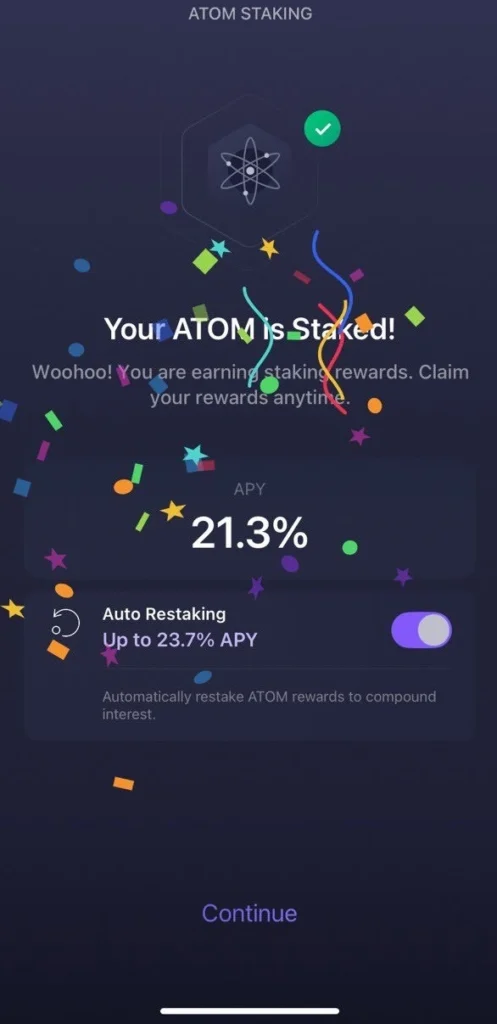
Step 3: Enable Auto Restaking (Optional)
- Still in the ATOM staking section, locate the Auto Restaking option.
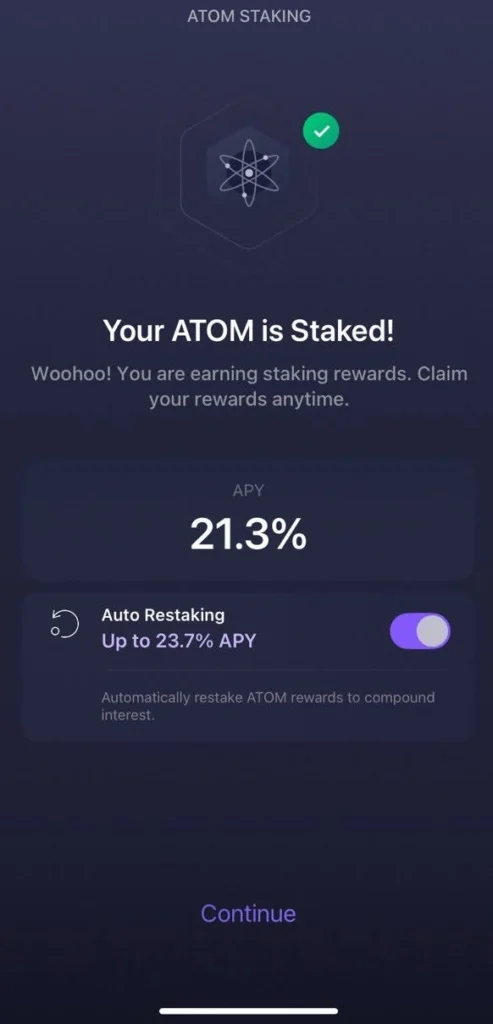
- Toggle it on to have your staking rewards automatically restaked, this compounds your rewards without requiring manual actions.
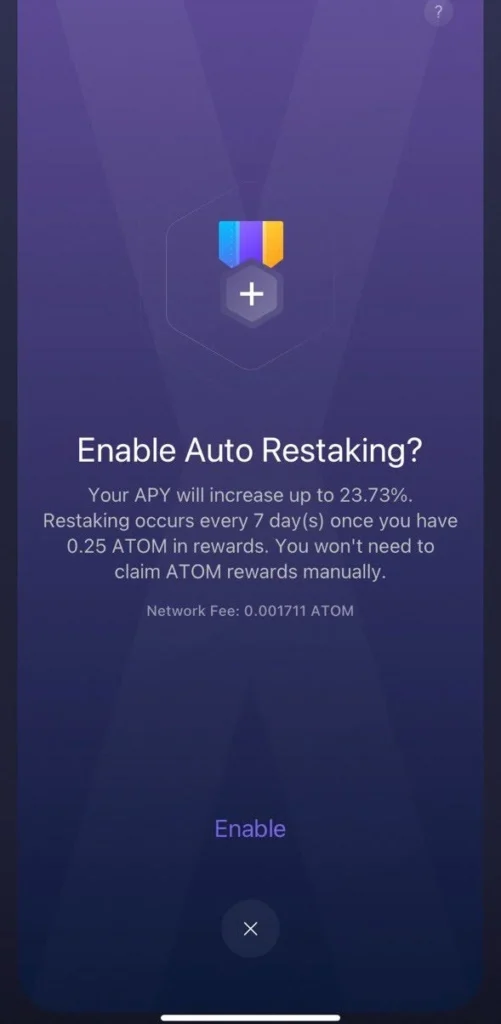
- If you prefer to claim rewards manually, you can turn this option off at any time.
How to Stake ATOM via Exodus Desktop
Step 1: Download and Install Exodus Desktop
- Visit the official Exodus download page.
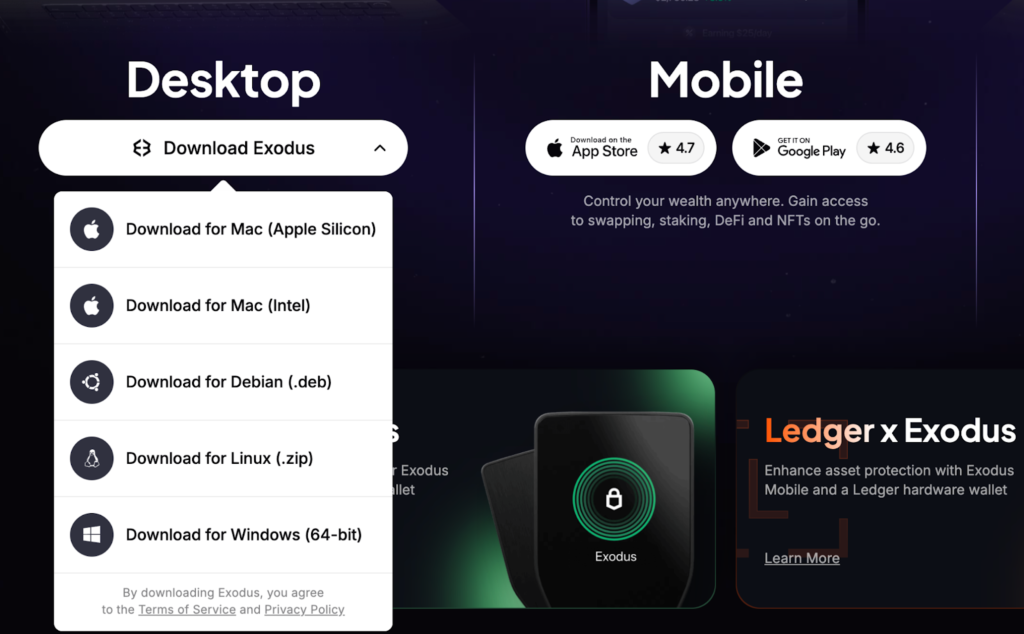
- Choose the version for your operating system (Windows, macOS, Linux, or Debian).
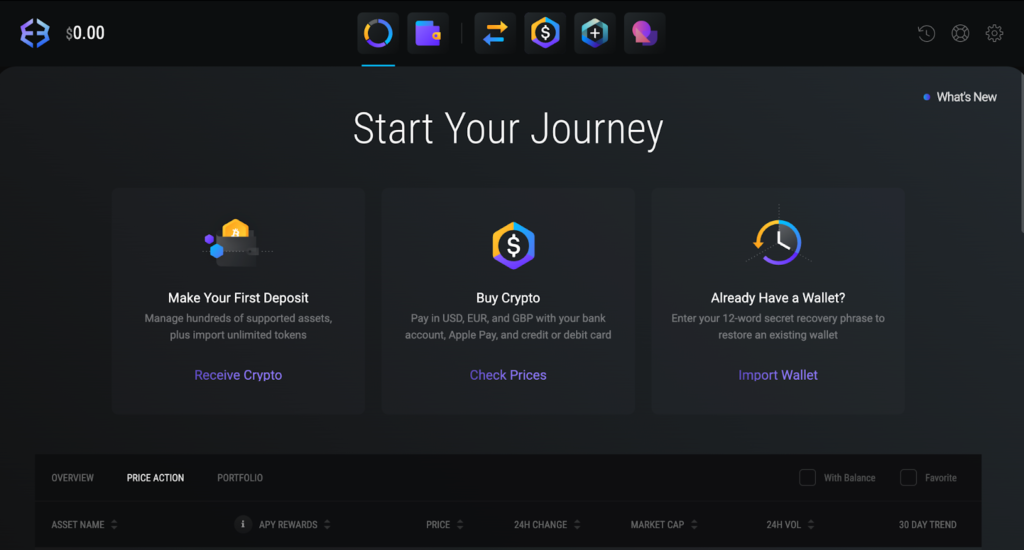
- Install and open the app.
- A new wallet will be created automatically. If you already have a wallet, select Import Wallet and enter your 12-word secret phrase.
Step 2: Secure Your Wallet
- Click the Settings icon (top right corner).
- Go to the Backup tab.
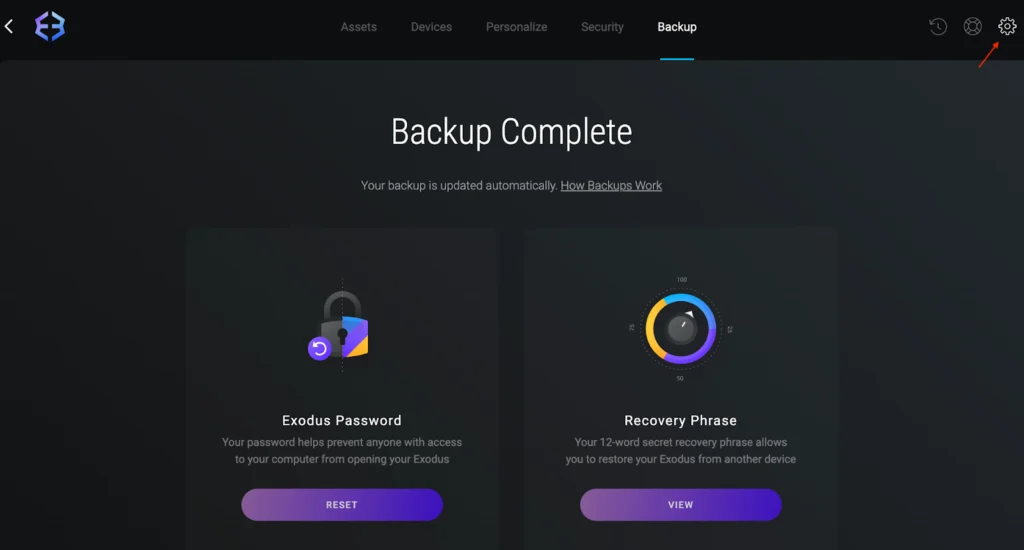
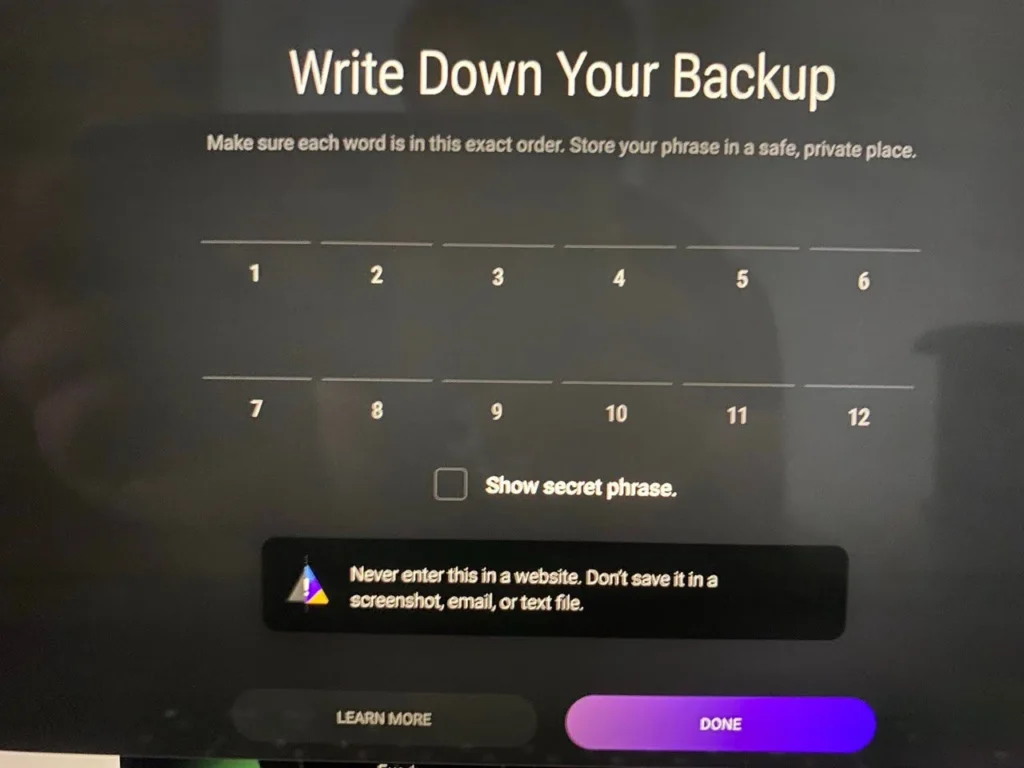
Write down your secret phrase and store it offline in a safe place. Avoid screenshots or digital copies for better security.
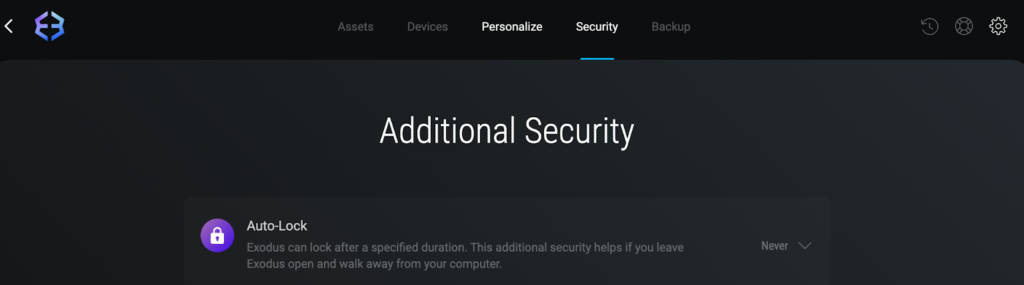
- In the Security section, set a strong application password and Auto-lock to protect the wallet when it’s idle.
Step 3: Add ATOM to Your Assets
- From the top left menu, click the Exodus logo and select Assets.
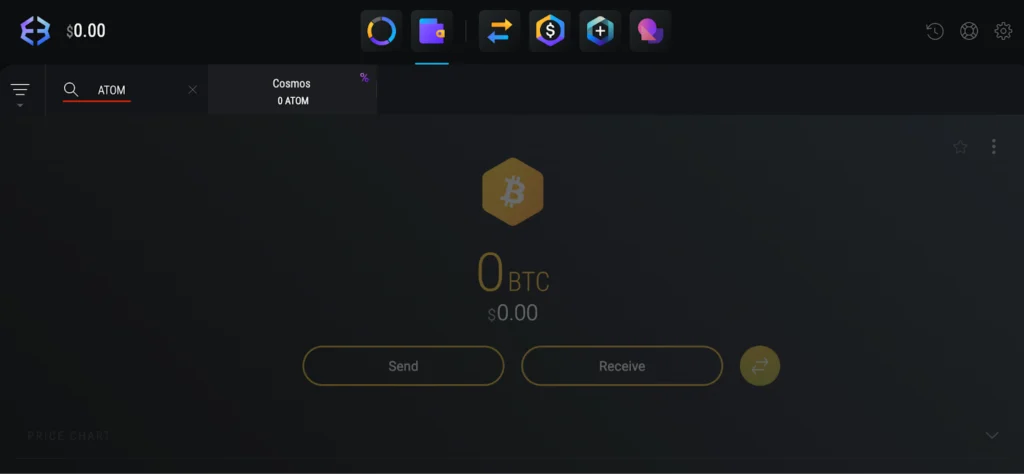
- Search for ATOM and enable it in your asset list.
- Open the ATOM wallet tab and copy your receiving address if you want to transfer ATOM from elsewhere.
Step 4: Navigate to the Staking Tab
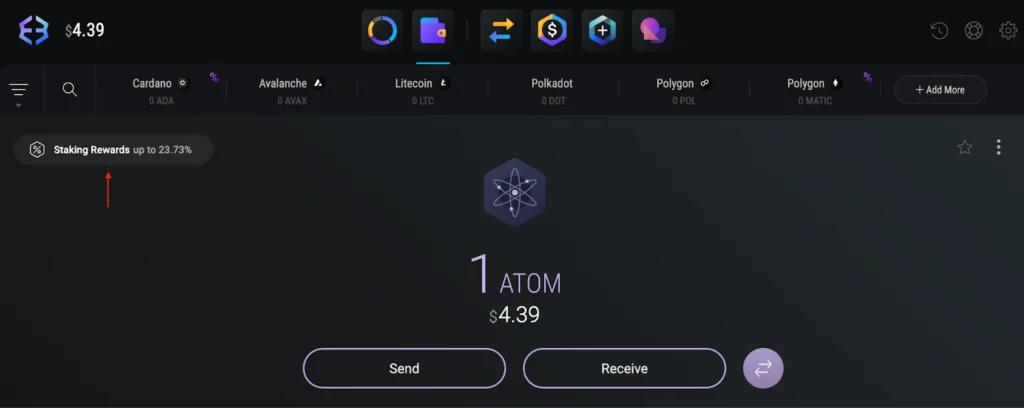
- In your ATOM wallet, click Staking Rewards.
- Select Stake ATOM to begin staking.
Step 5: Stake Your ATOM
- Enter the amount of ATOM you’d like to delegate.
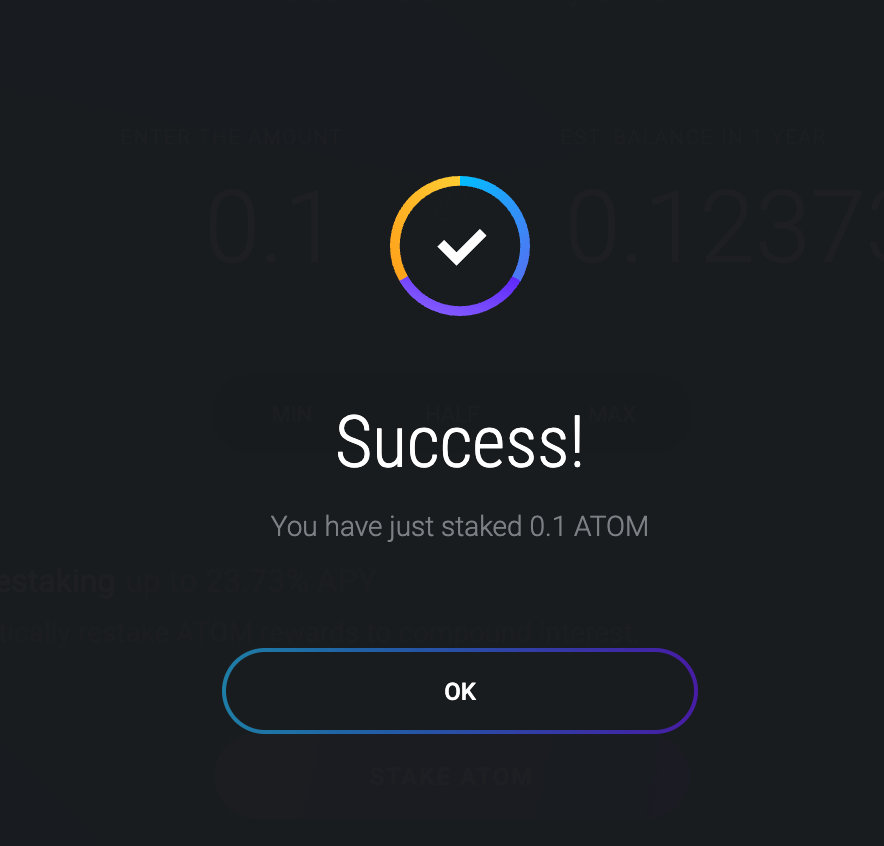
- Click Stake ATOM to confirm.
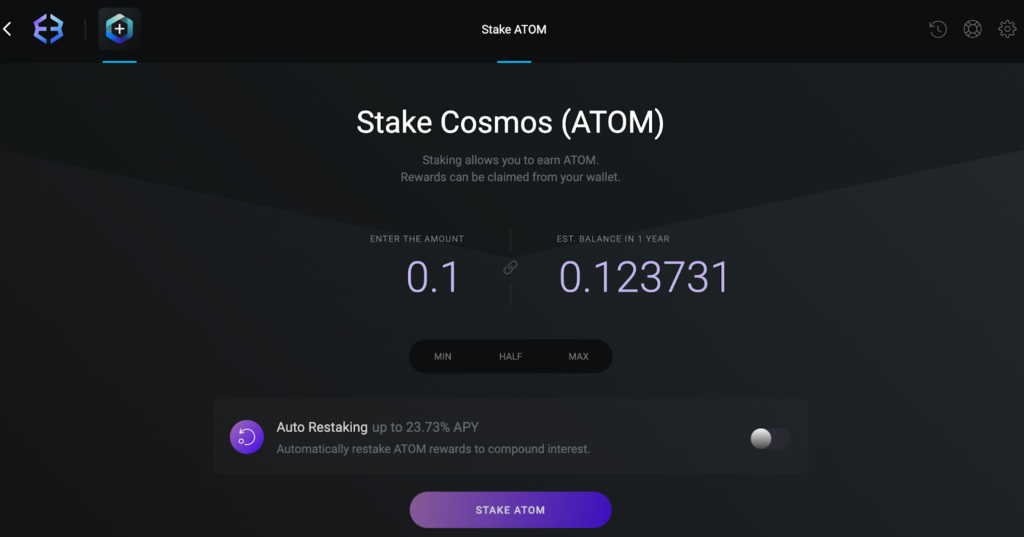
- Exodus will show a notification confirming that your ATOM has been successfully staked.
Step 6: Enable Auto Restaking (Optional)
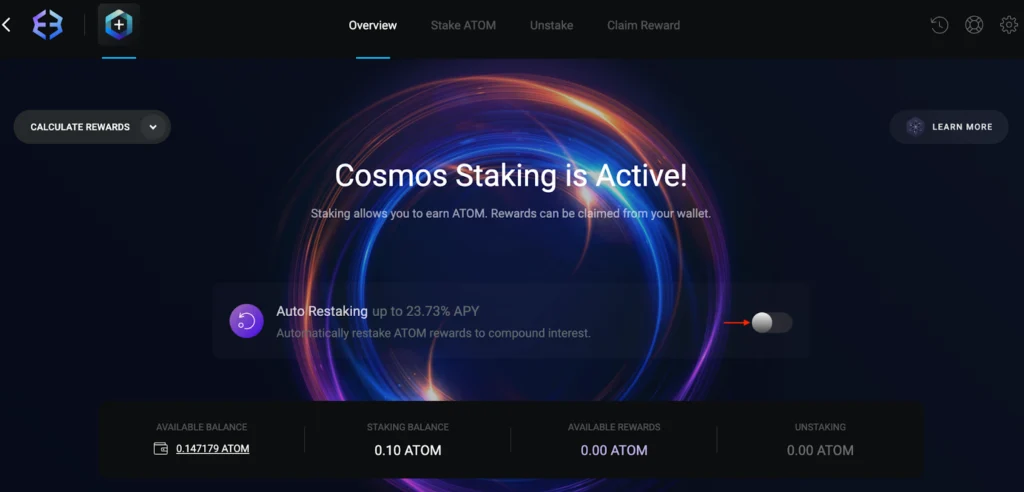
- After staking, you’ll be prompted to enable Auto Restaking.
- Toggle the feature on to have your rewards automatically restaked.
- You can turn this feature off anytime if you prefer to claim manually.
Congratulations! Your staked ATOM is now active, paving the way for you to get staking rewards boosted with staking feature!
What is Auto Restaking?
Auto Restaking is an optional feature in Exodus that lets your staking rewards be automatically added back into your existing stake. Instead of manually claiming and restaking, the wallet compounds rewards for you on a regular schedule.
Key points to know:
- Rewards are checked and restaked weekly.
- A small activation fee may apply, but most future restakings happen without extra charges.
- While Auto Restaking is enabled, the manual Claim Reward option is disabled.
- The feature may require occasional reactivation.
- Rewards must reach at least 0.25 ATOM before they are automatically added to your stake.
This makes it easier to keep your tokens compounding over time, while still giving you the option to disable the feature if you’d rather manage rewards manually.
How to Claim Rewards, and Unstake On Exodus Mobile
Unstaking ATOM means your tokens will go through a 21-day unbonding period. During this time they won’t generate rewards and will remain locked until the countdown ends. You can also claim your accumulated rewards whenever you like (unless Auto Restaking is enabled).
Step 1: Access the ATOM Staking Section
- Open the ATOM wallet in your Exodus app.
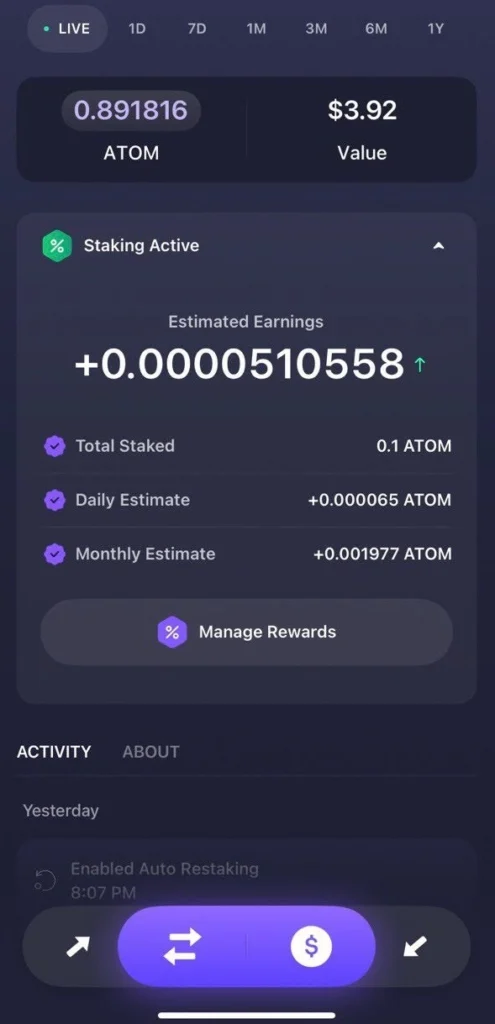
- Tap Staking Active to see your staking dashboard.
- Here you can check your daily and monthly estimated rewards.
Step 2: Claim Rewards
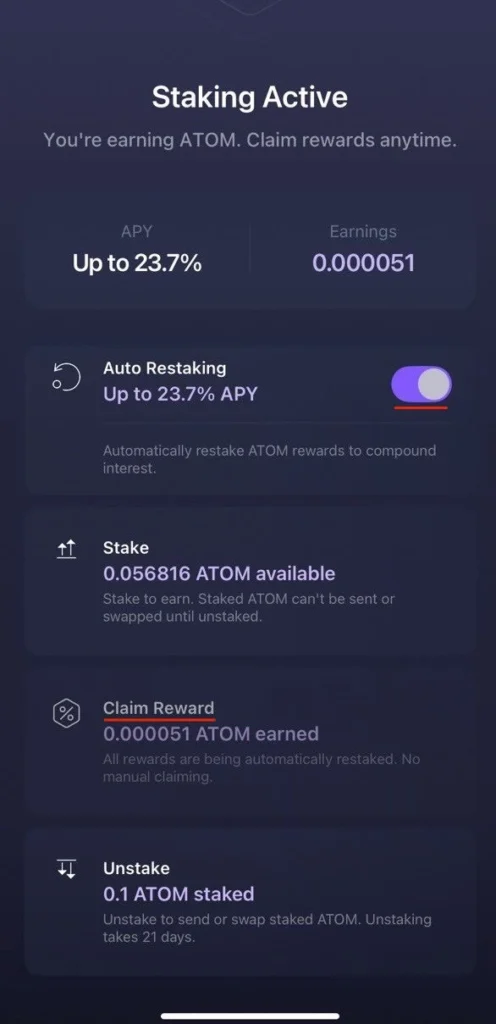
- If Auto Restaking is disabled, tap Manage Rewards, scroll down and press Claim Reward.
- If Auto Restaking is on, this button will not be available (rewards compound automatically).
Step 3: Unstake Tokens
- In the staking dashboard, go to the Unstake tab (bottom of the screen).
- Enter the amount of ATOM you want to unstake.
- Confirm the transaction and wait for the 21-day unbonding period to get ATOM on your wallet’s balance.
How to Unstake On Exodus Desktop
Step 1: Open Rewards Tab
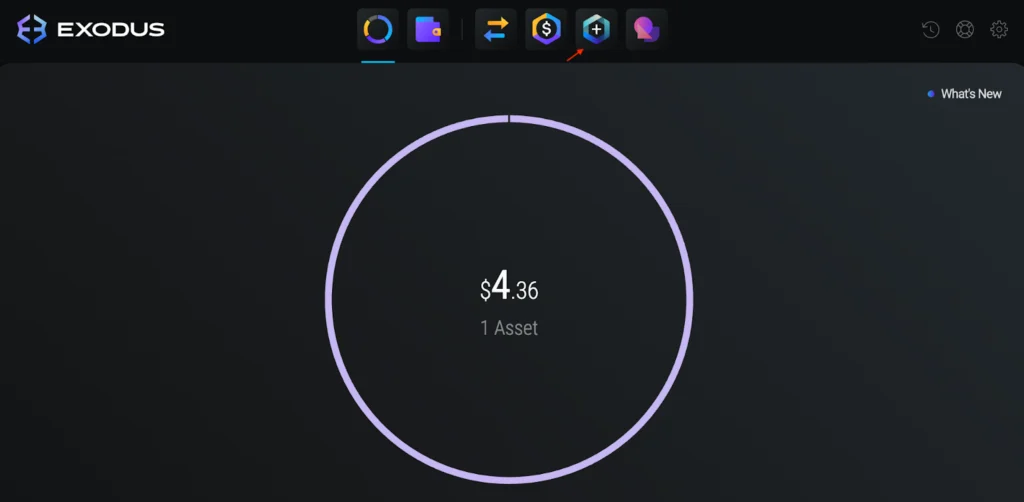
- In your desktop app, go to the Rewards Tab (“+” icon at the top).
- Find Cosmos (ATOM) in the list.
Step 2: Claim Rewards
- Click on Get Reward and open the Claim Reward tab.
- Press Claim Reward again to finalize.
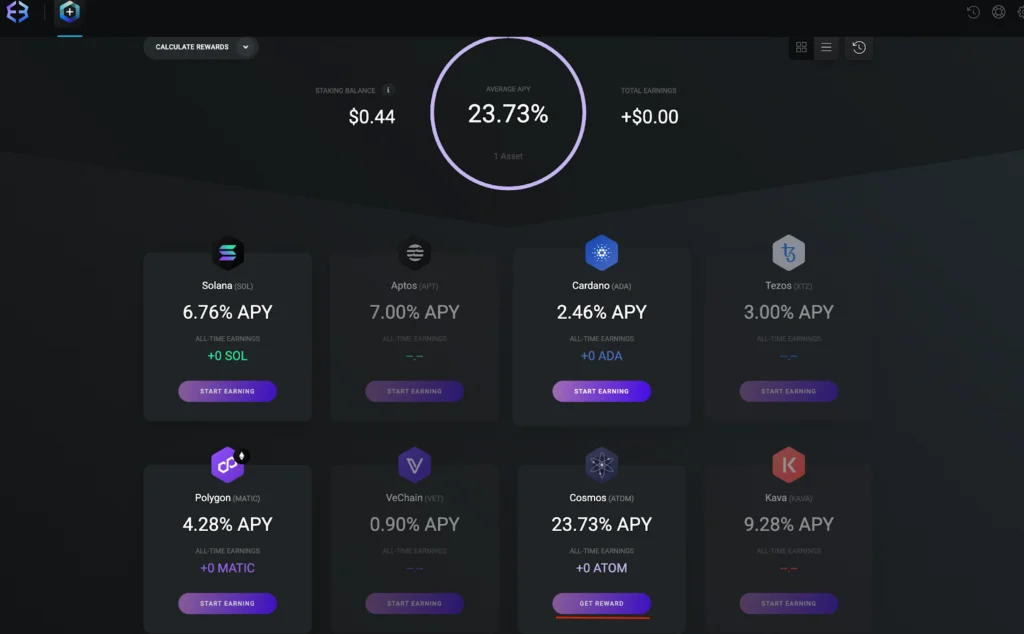
- A summary of your claim will appear, and the rewards will head to your ATOM wallet balance.
Step 3: Unstake Tokens
- In the same section, switch to the Unstake tab.
- Enter the amount of ATOM to unstake.
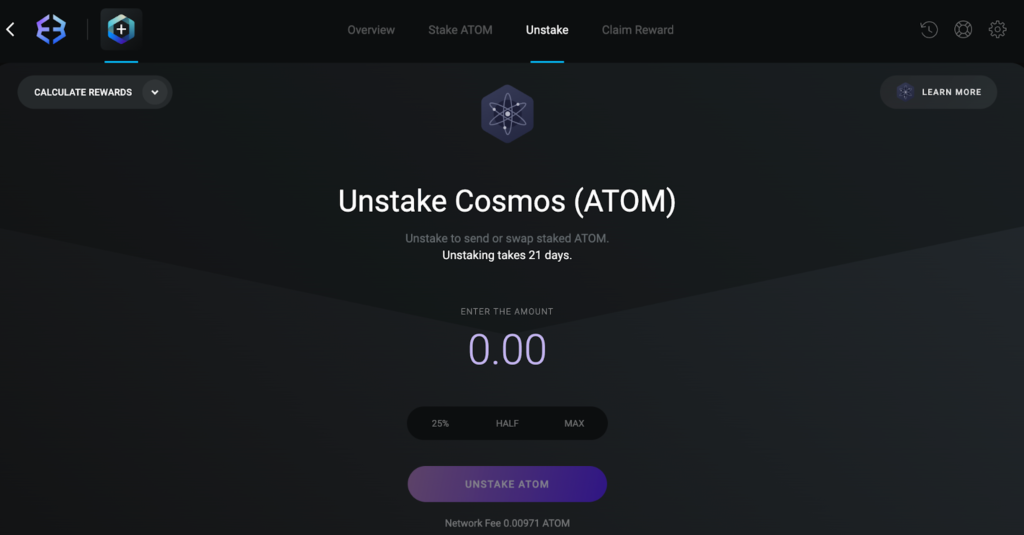
- Follow the prompts to confirm.
- Wait for the 21-day unbonding period before your tokens are available again.
Conclusion
Staking ATOM with Exodus is simple on both mobile and desktop: set up your wallet, secure it, add ATOM, and you’re in. You can choose manual rewards or Auto Restaking, and unstaking is just as straightforward with the standard 21-day period.
By staking, you’re strengthening the Cosmos Hub itself. And if you want your delegation to go straight to one of the network’s most reliable validators, Everstake secures ATOM with its proven validator infrastructure—backed by 40,000+ nodes, $7B+ in staked assets, and 1M+ users.
***
Everstake is a software platform that provides infrastructure tools and resources for users but does not offer investment advice or investment opportunities, manage funds, facilitate collective investment schemes, provide financial services, or take custody of, or otherwise hold or manage, customer assets. Everstake does not conduct any independent diligence on or substantive review of any blockchain asset, digital currency, cryptocurrency, or associated funds. Everstake’s provision of technology services allowing a user to stake digital assets is not an endorsement or a recommendation of any digital assets by it. Users are fully and solely responsible for evaluating whether to stake digital assets.
Share with your network