Cosmos
How to Stake ATOM with Now Wallet: A Step-by-Step Guide
Cosmos Hub thrives on its community of stakers. Here’s how to join them with Now Wallet and make your ATOM work for you.
OCT 06, 2025
Last updated OCT 07, 2025 · V1
Cosmos is one of the most established blockchain ecosystems, designed to connect multiple networks into a single interoperable environment. At the core of this system lies Cosmos Hub and its native token, ATOM. By staking ATOM, users help secure the network and support its smooth functioning while keeping their tokens active instead of idle.
In this article, we’ll cover what Cosmos and ATOM are, why staking matters, introduce you to Now Wallet, and then provide a detailed step-by-step guide on how to start staking ATOM.
What Is Cosmos and ATOM?
Cosmos is often called the “Internet of Blockchains” because it enables different blockchains to communicate through the Inter-Blockchain Communication (IBC) protocol. The Cosmos Hub is the central chain in this ecosystem, and ATOM is its native token.
Staking ATOM matters for several reasons:
- Network security – your stake helps validators maintain consensus and decentralization.
- On-chain rewards – by staking, you automatically receive rewards that accumulate over time.
- Flexibility – unlike some blockchains, ATOM remains liquid: you can delegate, redelegate, or unstake with full transparency.
- Ecosystem participation – many Cosmos-based projects distribute airdrops to ATOM stakers.
About Now Wallet
Now Wallet is a non-custodial multi-currency wallet supporting over 40 blockchains, including Cosmos Hub. It allows users to buy, store, exchange, and stake assets directly in one application.
Key features include:
- Accessible across devices, available for iOS, Android, and desktop.
- Built-in exchange, swap one cryptocurrency for another within the app.
- Staking support, choose from available validators and delegate tokens in a few clicks.
- User control, your keys and recovery phrase remain fully in your hands.
Step-by-Step Guide: How to Stake ATOM with Now Wallet
Step 1: Create a Wallet
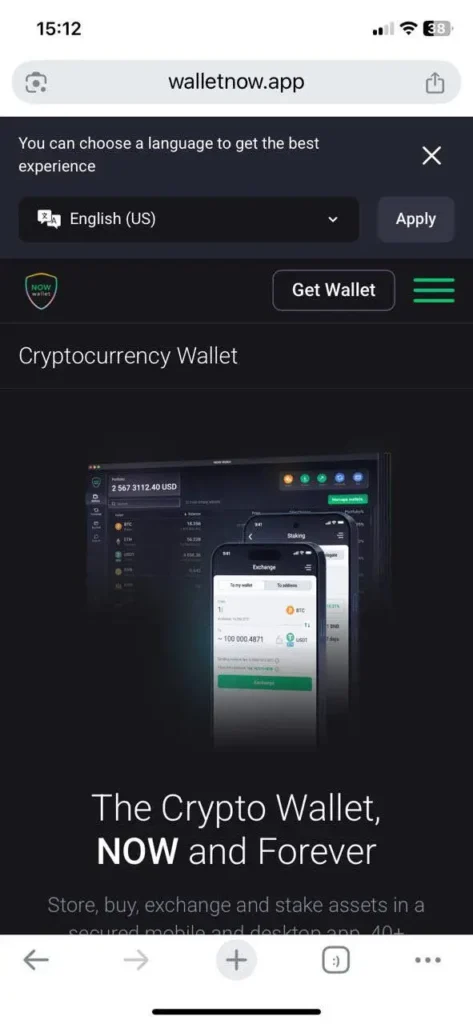
- Download Now Wallet from App Store or Google Play.
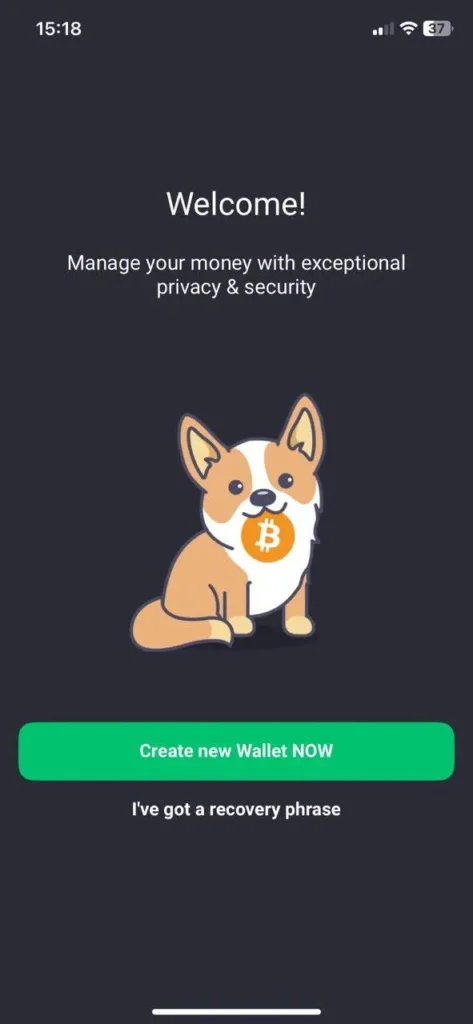
- Open the app and select Create a new wallet NOW. If you already have one, choose I’ve got a recovery phrase.
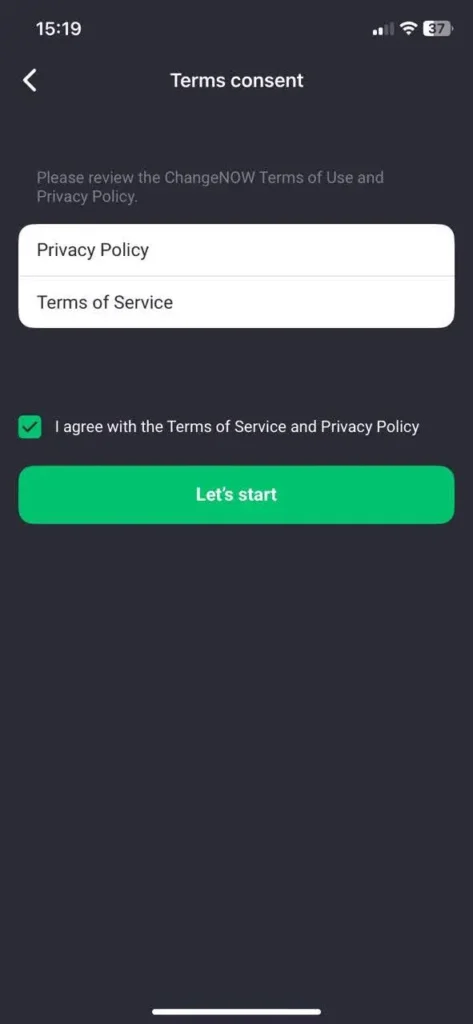
- Accept the terms, set up a PIN code, and confirm your new wallet.
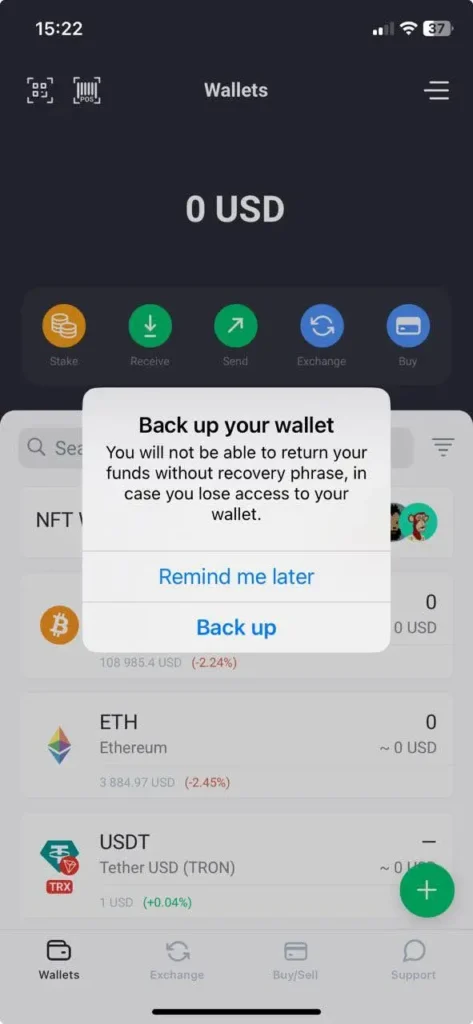
Step 2: Back Up Your Recovery Phrase
- Click Back up on the pop-up to store your recovery phrase. It’s important to save your funds.
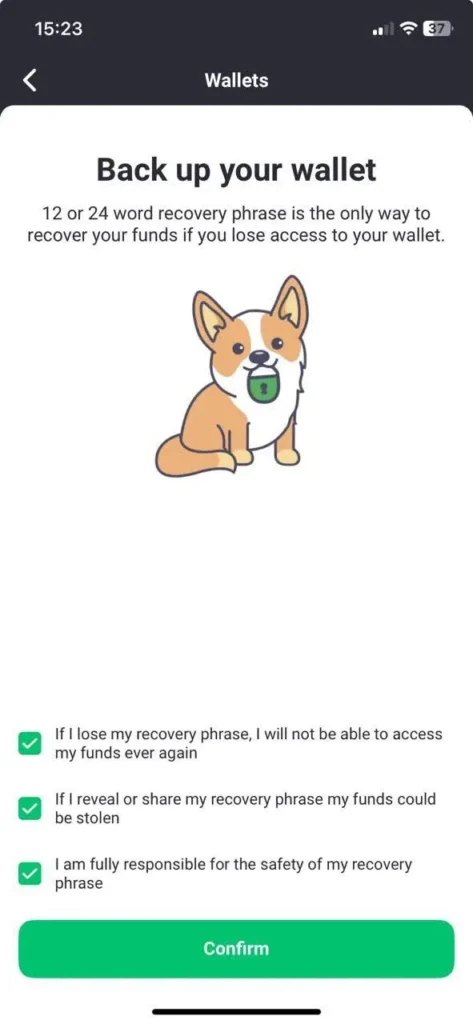
- Confirm the terms and continue.
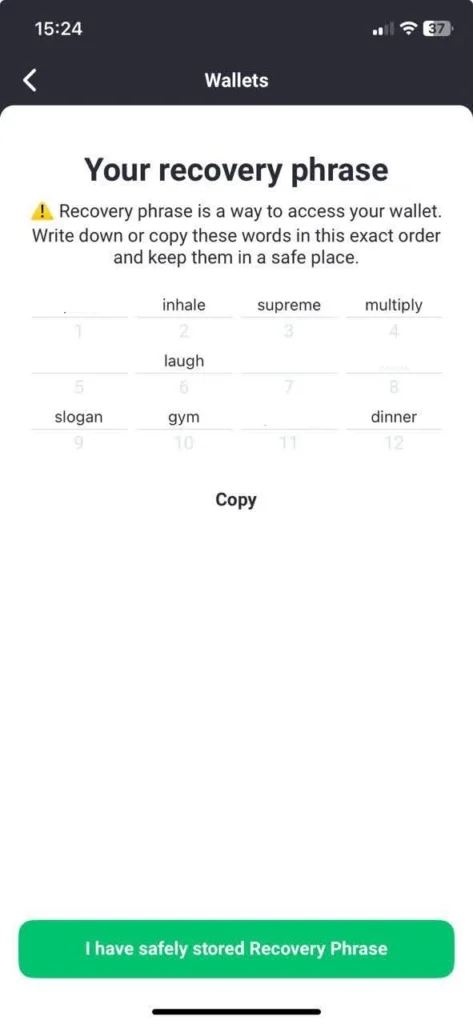
- Store a recovery phrase in a reliable place, preferably offline, written on a paper, then confirm you’ve copied the phrase.
- Fill in the absent words for a quick check and click Confirm.
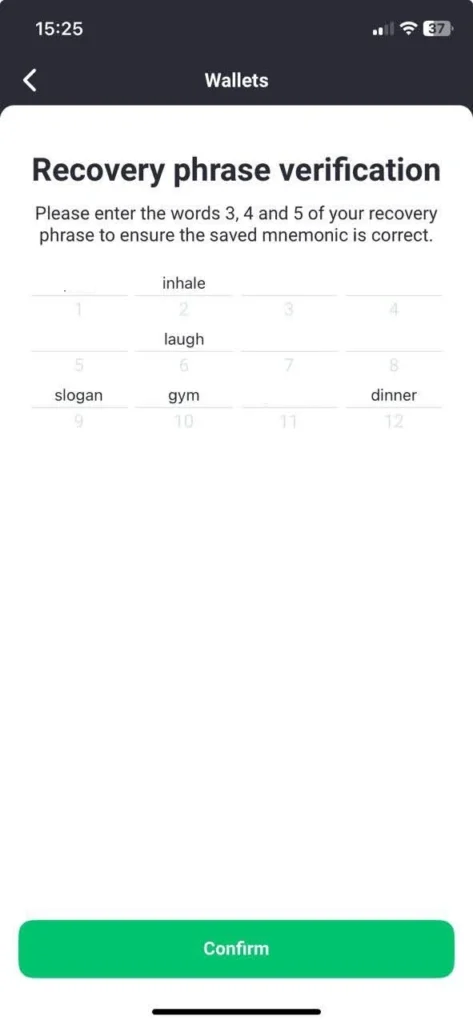
Congratulations! Your account has been successfully backed up! You can now open your Now wallet.
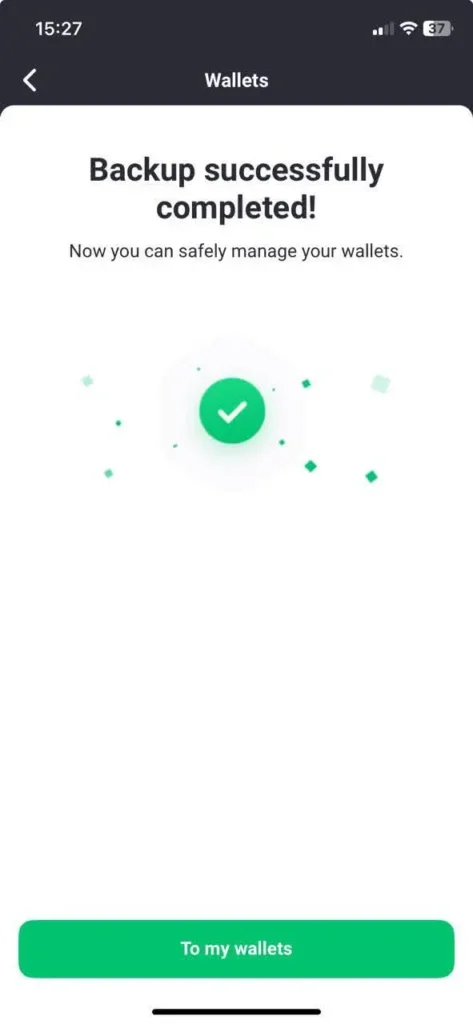
Step 3: Fund a Wallet with ATOM
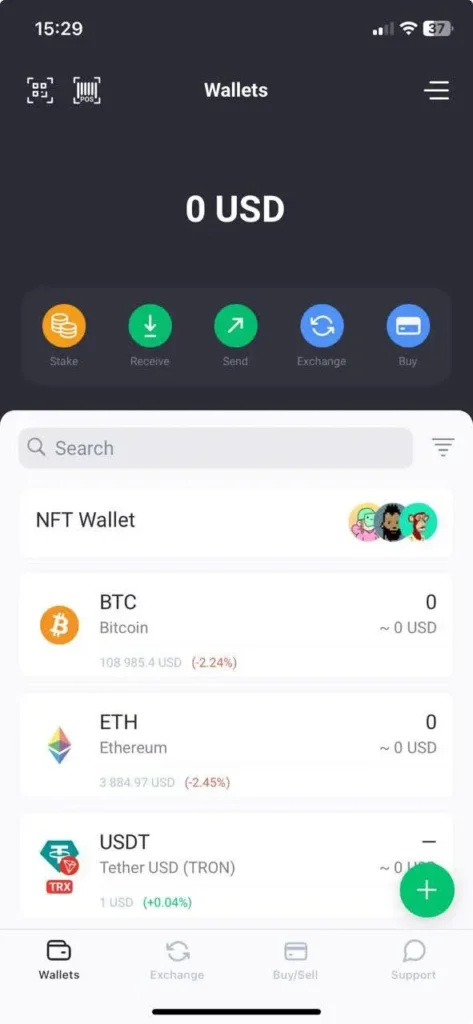
- On the main dashboard, find ATOM using the search bar and open the ATOM wallet.
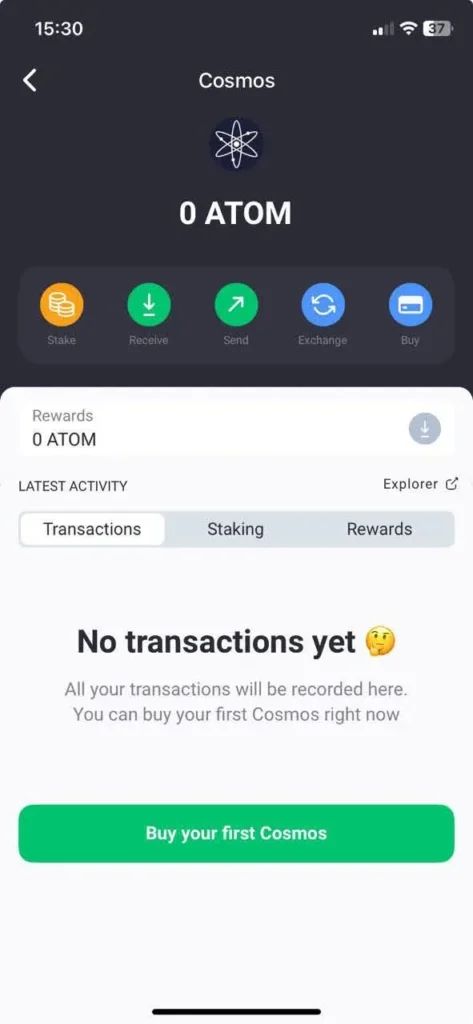
- You can buy ATOM with fiat directly in the wallet. Tap Buy your first Cosmos.
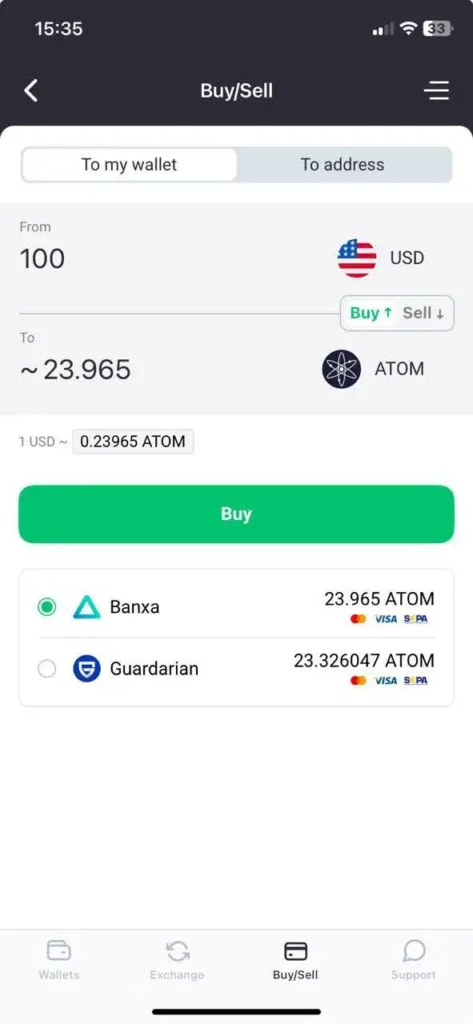
- Enter the amount, choose fiat currency, and select a payment provider (Banxa or Guardarian, supporting Visa, Mastercard, Apple Pay, etc.).
- Tap Buy and follow the instructions to complete the purchase.
- To fund your wallet from another source, click Receive in the ATOM wallet to copy your address. Use it to transfer ATOM from another wallet or exchange.
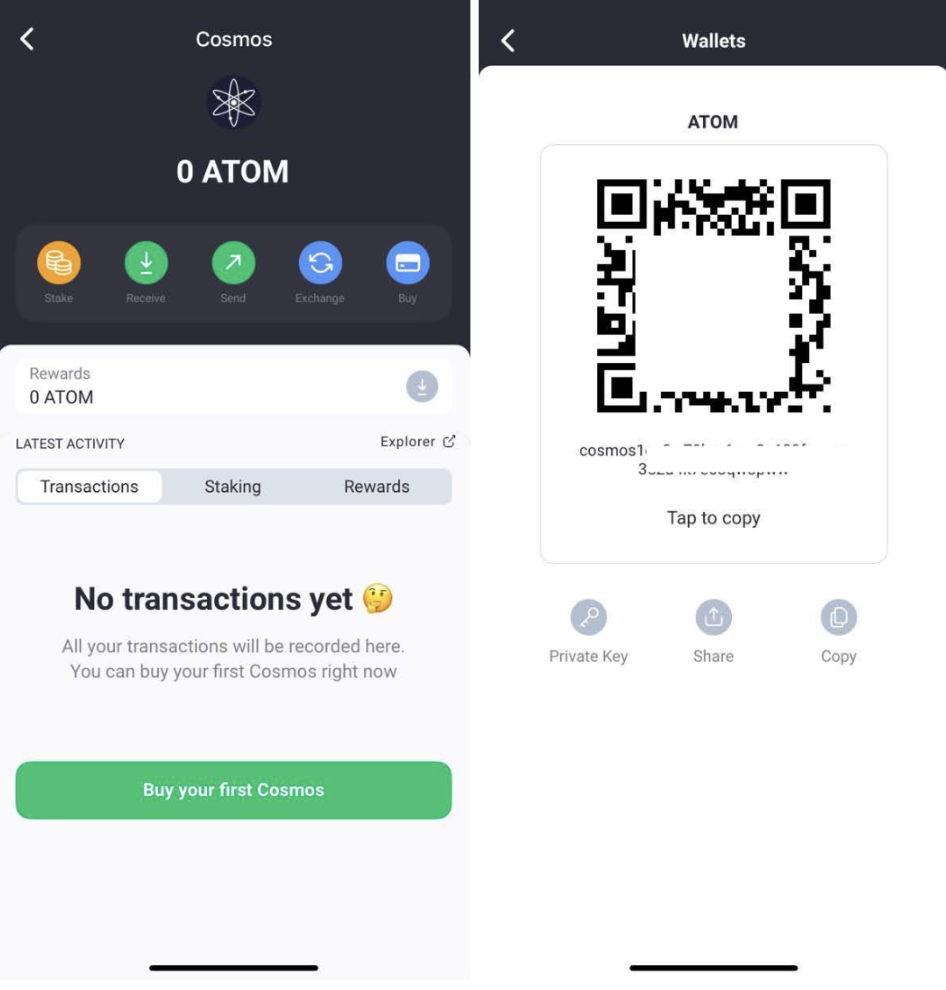
You are free to fund the Now wallet from any exchange or another wallet, sending ATOM tokens to this address. The list of ATOM exchanges can be found here.
- You can also buy ATOM with crypto via the built-in Exchange tab. First, deposit another coin (e.g., Bitcoin), then use the Exchange option to swap it for ATOM.
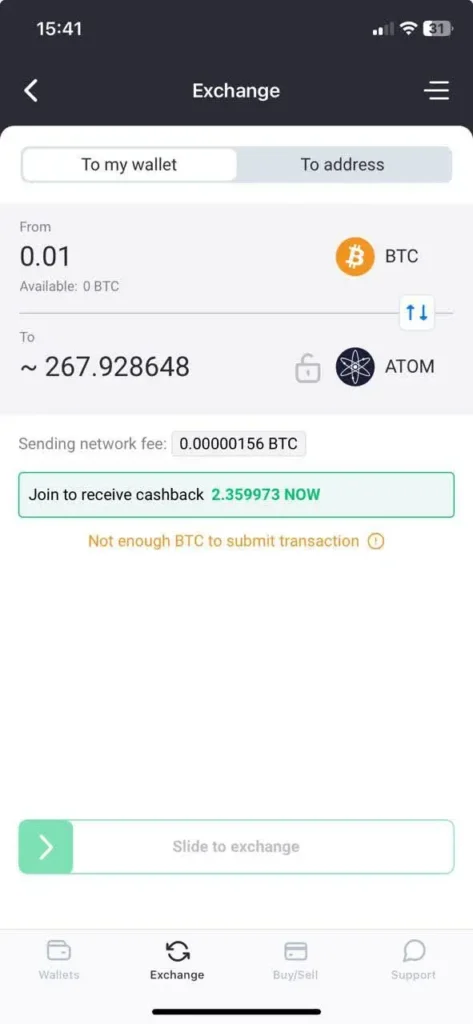
- Once the transfer or purchase is complete, your ATOM balance will appear in the wallet.
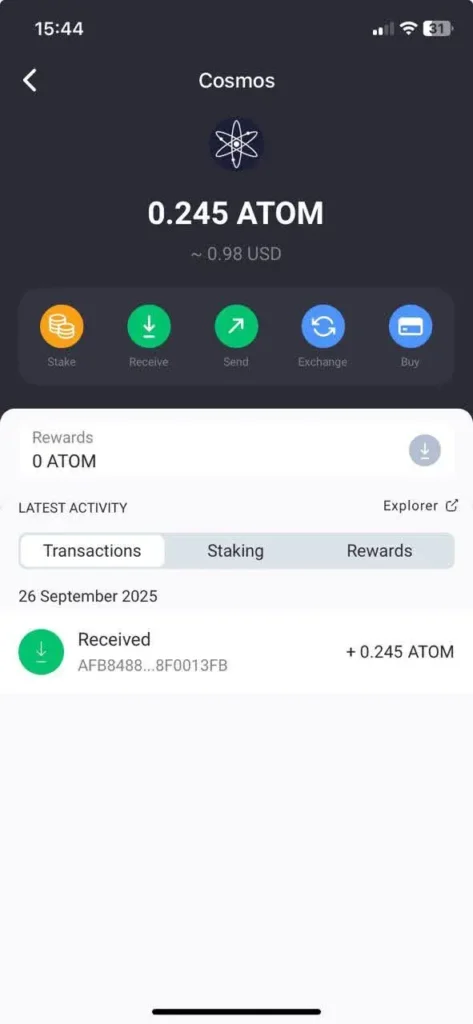
Step 4: Staking Process
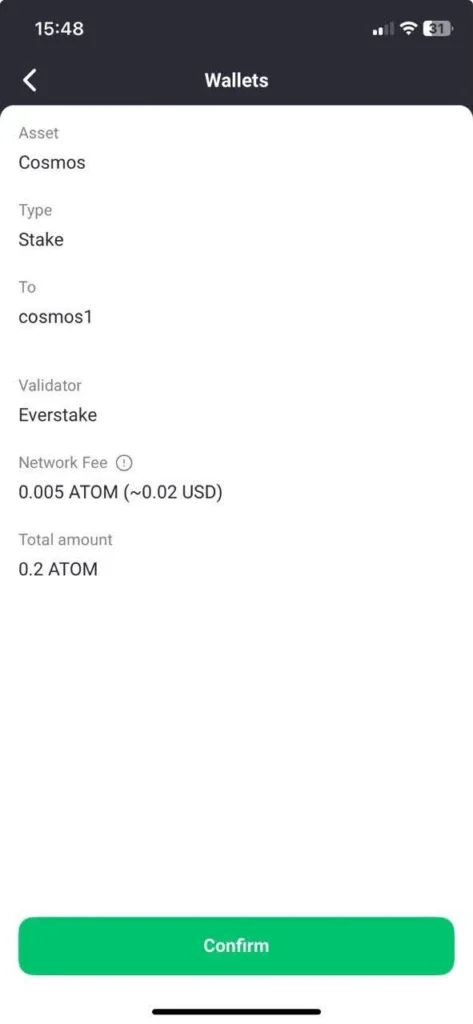
- In the ATOM wallet, click Stake, enter the amount you want to delegate, and choose a validator (e.g., Everstake).
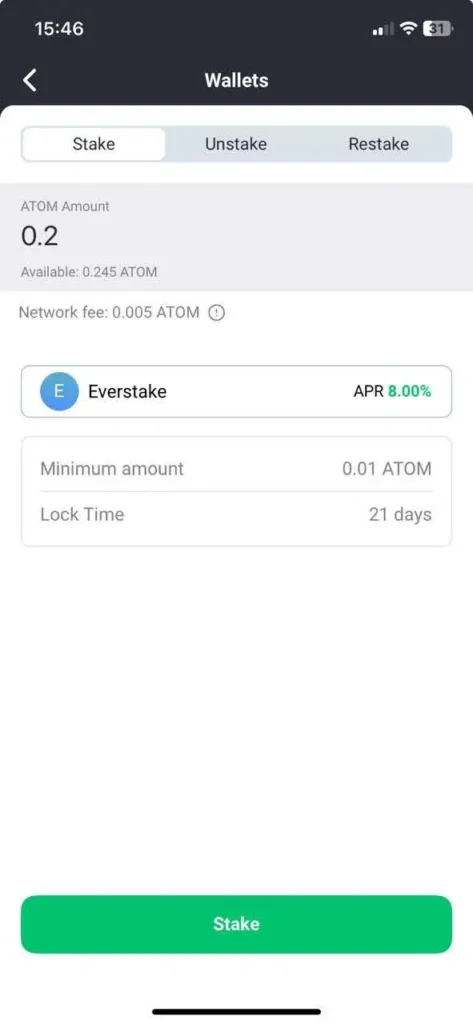
- Review the transaction details and confirm.
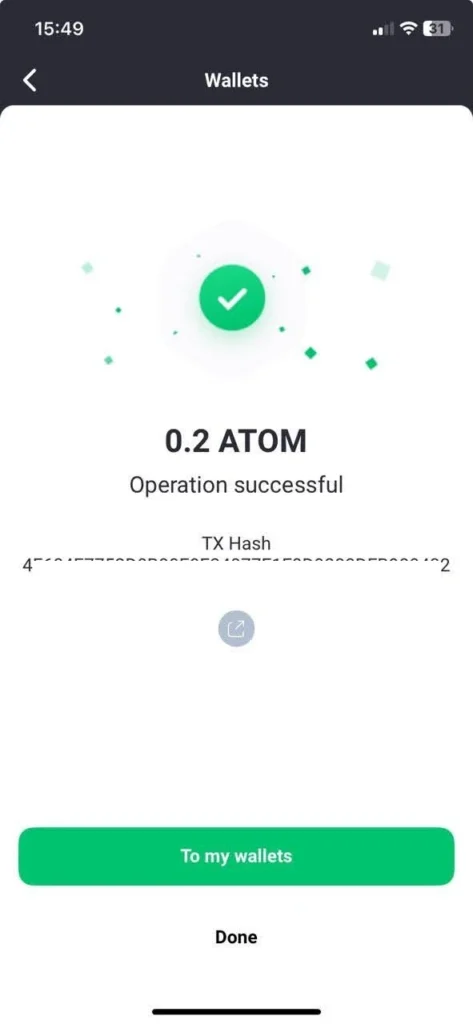
- After confirmation, the app will show that your staking transaction is complete and rewards have started accruing.
Step 5: Claiming Rewards
- Open the ATOM wallet and locate your staking record.
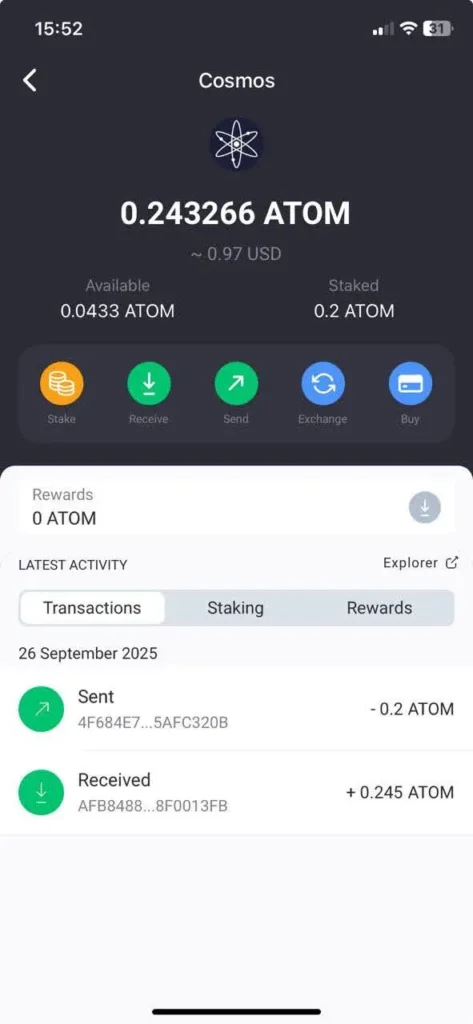
- Rewards will accumulate over time and appear in the middle of the screen.
- When available, tap the downward arrow to instantly claim them or click on the Rewards tab.
Step 6: Unstaking
- In the ATOM wallet, tap the Stake icon and select Unstake.
- Enter the amount to unstake, choose a validator (you can stake with several), and confirm.
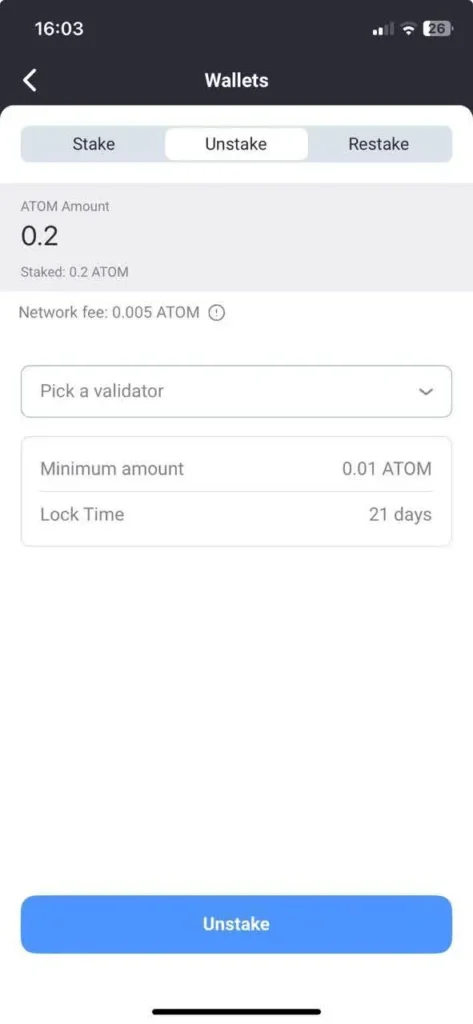
Remember: Cosmos Hub applies a 21-day unbonding period. During this time, your tokens won’t generate rewards.
After the period ends, your unstaked ATOM will return to your balance and can be freely used.
Conclusion
Staking ATOM through Now Wallet is straightforward: set up a wallet, secure it, fund it with ATOM, and delegate to a validator. By doing so, you actively contribute to the Cosmos ecosystem while keeping your tokens engaged.
For those who want additional reliability, you can delegate to Everstake, one of the largest and most trusted staking providers in the industry, running over 40,000 nodes across 80+ networks with zero slashing incidents. Everstake combines institutional-grade infrastructure, certified security standards like ISO 27001 and SOC 2 Type II, and near-perfect uptime to ensure your staking experience is both stable and transparent.
***
Share with your network