Company News
How to Delegate MNTL in an Asset Mantle Wallet: A Quick Guide
Asset Mantle is a top-notch comprehensive platform aimed to mint, trade, and spread NFTs generated by dozens of onboarded talented artists.
MAY 03, 2022
Last updated MAY 03, 2022 · V1
Asset Mantle is a top-notch comprehensive platform aimed to mint, trade, and spread NFTs generated by dozens of onboarded talented artists. These NFTs are compatible with a vast range of blockchains, primarily in the Cosmos ecosystem. Built on Cosmos SDK with Tendermint Core, Asset Mantle is a significant blockchain within the Persistence ecosystem, and its Tokenomics is going to be connected to other ecosystem parts: Persistence blockchain, Comdex, and pSTAKE.
The native token MNTL was specially designed to secure the network’s performance through staking and to bring governance for future chain evolvement.
With the mainnet launched on April 18, the Asset Mantle team enabled MNTL staking from the outset, setting an inflation rate of 75% and an APY of over 100%.
This guide will walk you through the Asset Mantle wallet staking process.
Creating an Asset Mantle Wallet
Asset Wallet is an easy-to-handle web wallet for MNTL holders. It took all the best of the Persistence Wallet, a reliable wallet for XPRT tokens, and its design is almost the same.
To start, go to the Asset Wallet website, where you can sign in to the wallet with Keplr, Ledger, KeyStore, or with an existing MNTL address.
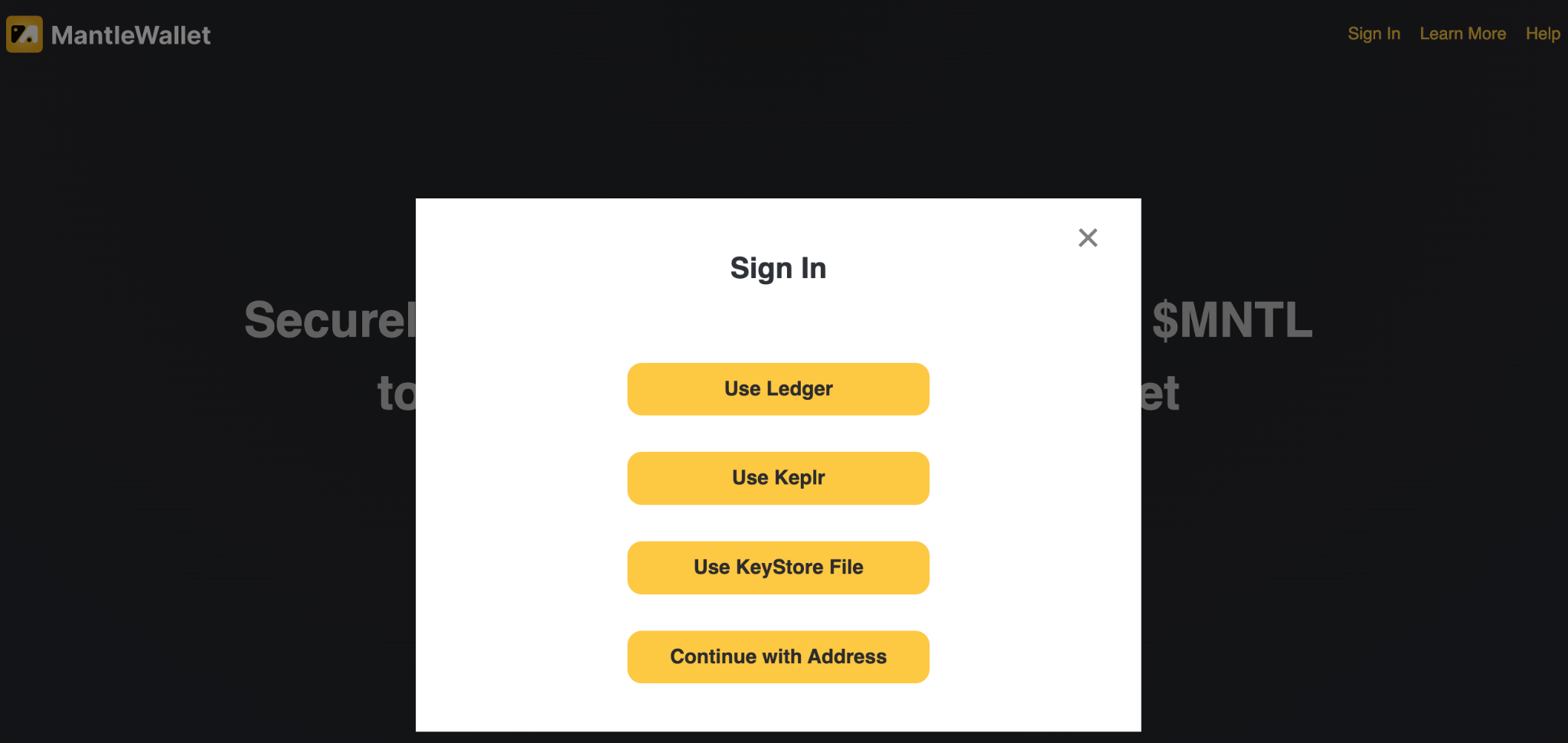
If you don’t have an account, hit Create Wallet.

You will see the reminder about the importance of mnemonics. Read the text, then click Next.

The reminder covers only a part of cyber-security fundamentals. For more comprehensive info, make sure to read our guide.
Write down the 24 words of the seed phrase displayed on the screen. Do this on paper and in the same order in which they are shown. Then click Next.

Add the missing words in the fields to make sure you have written down the mnemonic phrase correctly and then hit Submit.

Generate a KeyStore file by clicking Generate KeyStore File to further secure your wallet (you can skip this step and do it later).
If you click the Advanced button, you can independently set the parameters such as Account, Account ID, and an additional passphrase for improved protection of your crypto assets. This is optional.

Before generating a KeyStore, come up with a strong password, preferably using all types of symbols and registers, and click Submit to enable KeyStore file downloading. You may rely on the automatic generation of safe passwords if your browser has the feature.

Grab the KeyStore file from your downloads and move it to a safe location, then click Done.

The previous window will return. Click Next.

The screen will display the wallet path and address. Save both for future use. After that, you can enter the wallet and move on to staking. Click Login.

Congratulations! You have successfully created your Asset Mantle wallet. Now you can receive, send, and stake your MNTL. Also, keep in mind that you can view all on-chain metrics by visiting the MNTL Explorer directly from the wallet. Just click the button on the upper bar.
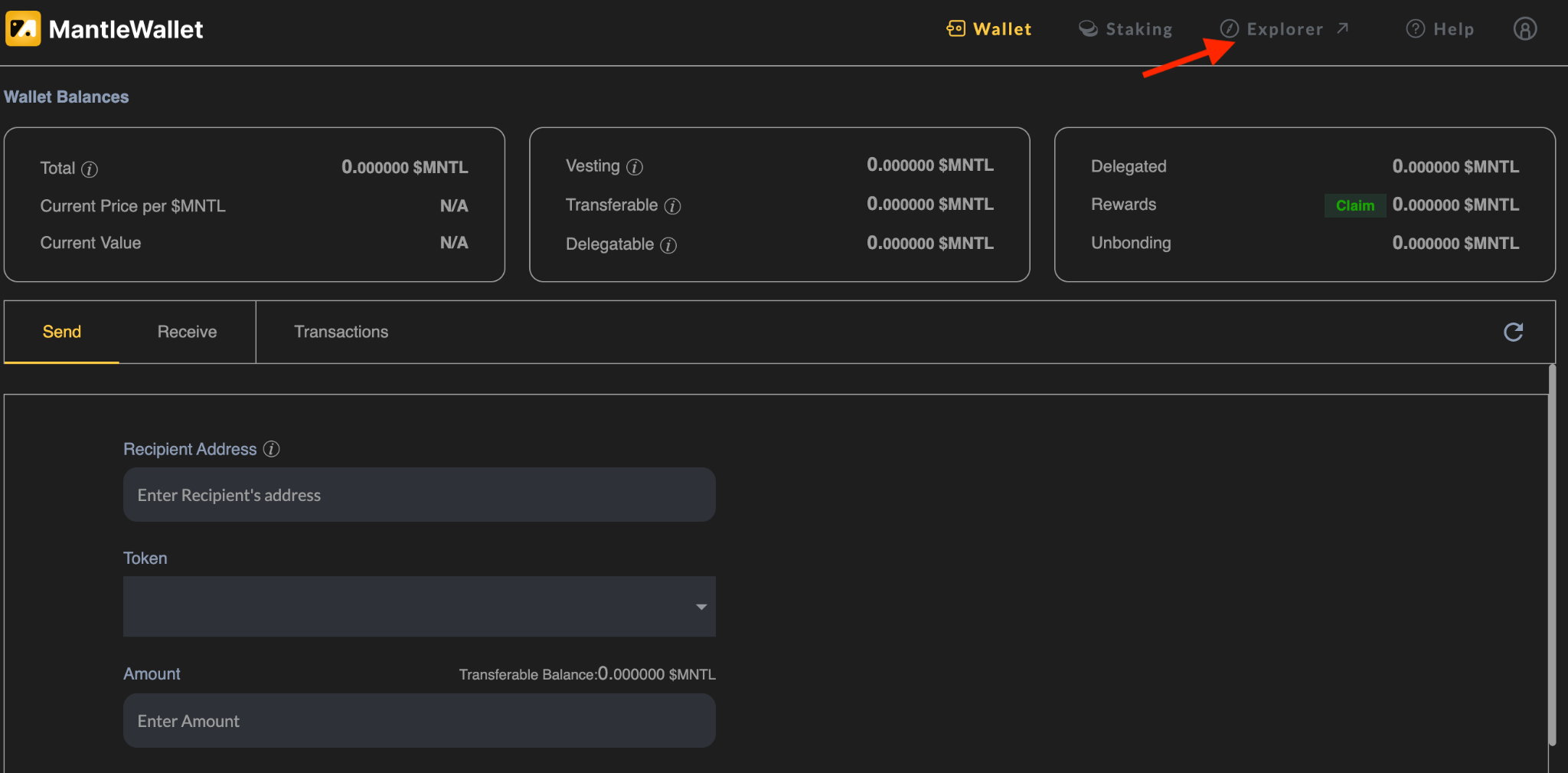
Before staking, you should top up your balance with some MNTL. Do it from one of the cryptocurrency exchanges that Coingecko will display once they list the token. Also, if you participated in the MNTL Stakedrop, you can sign in with Keplr and find an amount of delegatable MNTL in your Asset Mantle wallet balance.
Delegating (staking) MNTL
To delegate (stake) MNTL, go to the Staking Tab on the upper bar.

In the Staking Tab, you will find a list of all active validators. You should select the one you want to delegate your assets to and then tap Actions. As there is no search bar, use the Ctrl+F combination to find your staking provider. We use Everstake in this example.
Everstake is a trustful validator that carefully selects promising blockchain projects for staking and helps them grow, having 4 years of successful traction. Everstake’s team of blockchain and fintech experts develop advanced services for staking, monitoring, and analytics using only secure server hardware.

Now click Delegate. Note that your delegated funds remain safe in your wallet as the validator or another third party is unable to access them.

Specify the number of tokens you wish to delegate, leaving a small amount for future blockchain fees. The Memo is optional but (if added) would be required to unbond funds. Then click Submit.

Select either low or high commission (low is OK so far) and proceed by hitting Next. Note that there is an Advanced option to set the Gas fee manually.

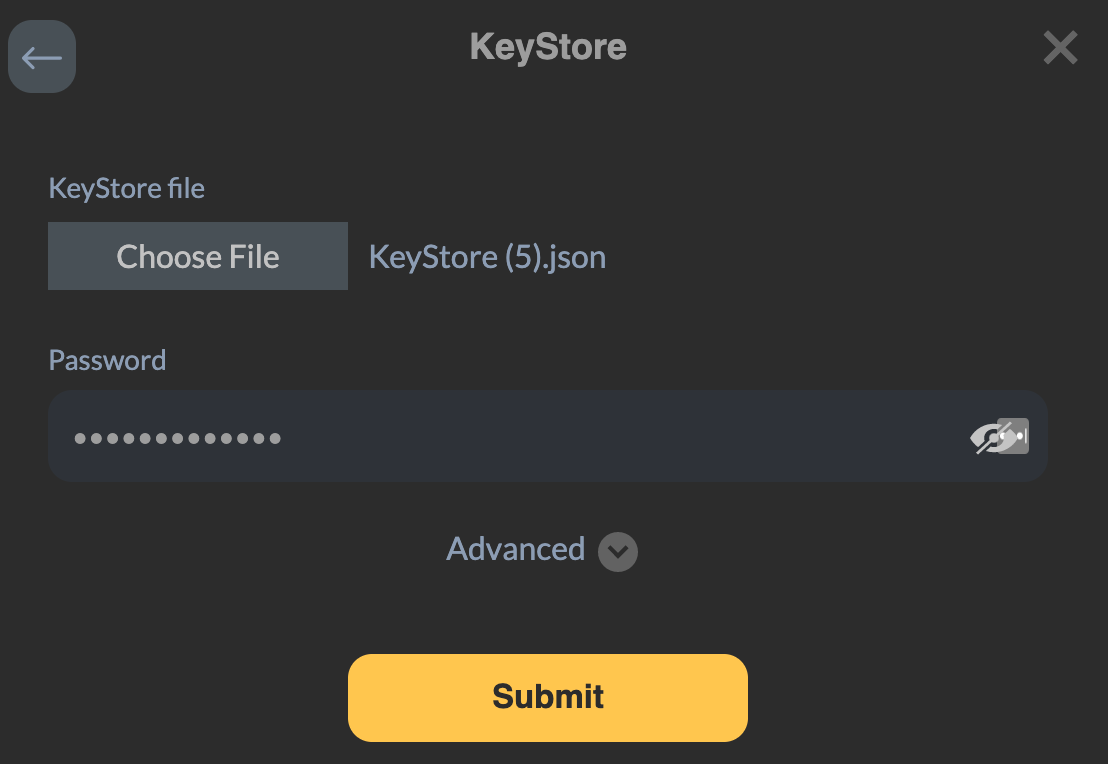
To complete the transaction, you need to enter the password and select the KeyStore file you generated earlier while creating the wallet. Then tap Submit.
If everything has been done properly, the next window will tell you in a matter of seconds that the transaction is successful. There you can find a Tx Hash that, if clicked upon, will lead you to the explorer with all of the transaction’s essentials. Click Done.

Congratulations! You have staked MNTL, and staking rewards have started to accrue with an APY rate of over 130%, which is probably one of the highest rates among the Cosmos-based blockchains so far. To check the current APY rate, just visit Explorer.
Claiming rewards
Rewards are awarded approximately every 5 to 7 seconds. To withdraw rewards from your balance, click Claim in the Staking Tab.

Select the validator and enter the memo, if needed. The rewards will go to your main balance in the wallet. If you would like to receive rewards via another MNTL address, tap Setup Address for Rewards Withdrawal at the bottom of the window and add it to the respective field. Click Next.

Your next step will be to select a transaction fee, input the password, and click Submit to see the familiar pop-up informing you that the transaction is successful (if everything has been done properly). Hit Done.

Perfect! Check up your balance to find out it has been topped up with the rewards. Now you can stake your earnings to increase your total stake or send it out of the wallet and use it at your own discretion.
Unbonding and redelegating MNTL
Keep in mind that you have to unbond your delegated tokens to make your staked funds available for transactions again. Once unbonded, your tokens become subject to an unbonding period of 21 days during which rewards will not accrue. If you want to change your validator, no undbonding is needed. Just use the redelegation option and keep on getting rewards.
To complete unbonding or redelegation, select the Delegated section in the Staking Tab to reach out to your Validator. Hit Actions and choose a preferable option.

Why Everstake?
Everstake is a top validator and a staking-as-service provider for the entire Persistence ecosystem. To find out about staking in Persistence and Comdex chains, follow our dedicated web pages where you can find staking guides, reward calculators, and more:
Also, explore pSTAKE liquid staking with our tutorial to profit off your digital assets, providing your tokens for staking and for DiFi liquidity pools simultaneously.
Everstake has validating nodes in more than 45 various blockchains, with each one served by a professional DevOps team providing seamless performance with an uptime close to 99,99%.
We wish you profitable staking! Subscribe to Everstake on social media to receive up-to-date information on staking and updates on projects from the blockchains.
Share with your network